Break Errors
A break has to fall inside the shift
Open the shift you want to add a break to.
Click Add Break, then enter a break start time before the shift starts.
An error is shown live, before ever saving.
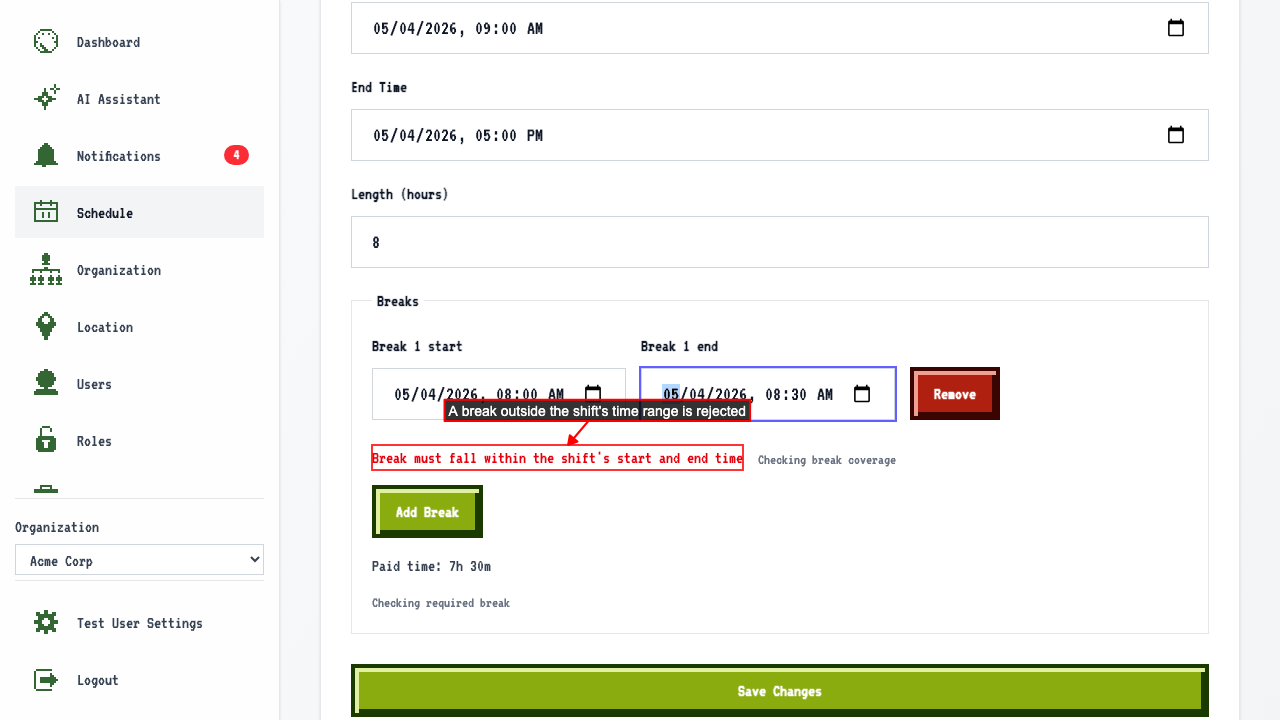 Saving anyway is rejected server-side too, and nothing is persisted.
Two breaks can't overlap
Open a shift that already has a break.
Add a second break that overlaps the existing 12:00-12:30 break.
An error is shown live, before ever saving.
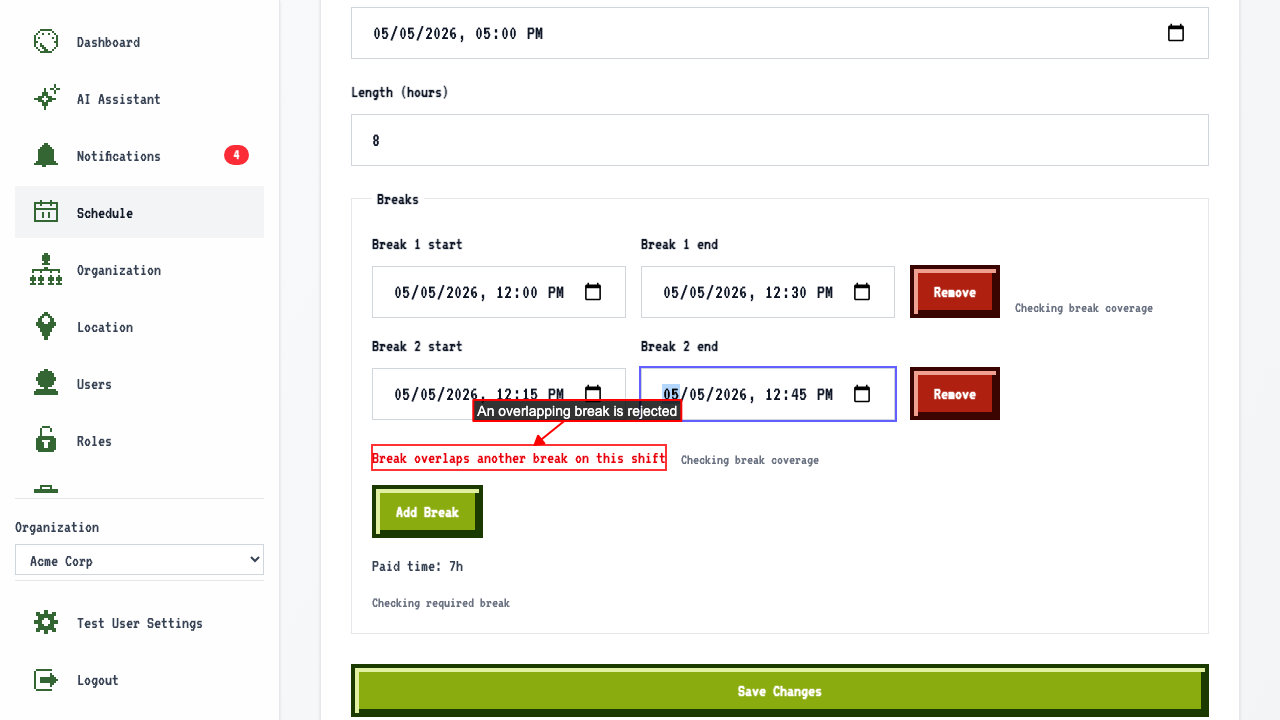 Saving anyway is rejected server-side too, and nothing is persisted.
The same applies when you edit a break
Open a shift that already has a break. Change the break's start time to before the shift starts. An error is shown live, before ever saving. Saving anyway is rejected server-side, and the break is unchanged.
Editing a break so it overlaps another
Open a shift that already has two breaks. Change the first break's time to overlap the second break (3:00-3:30 PM). An error is shown live, before ever saving. Saving anyway is rejected server-side, and the break is unchanged.