Starting from Last Week
How to copy last week's schedule and adjust it
Navigate to the plan page for next week.
Select a location — since last week had shifts, a dialog offers to copy them.
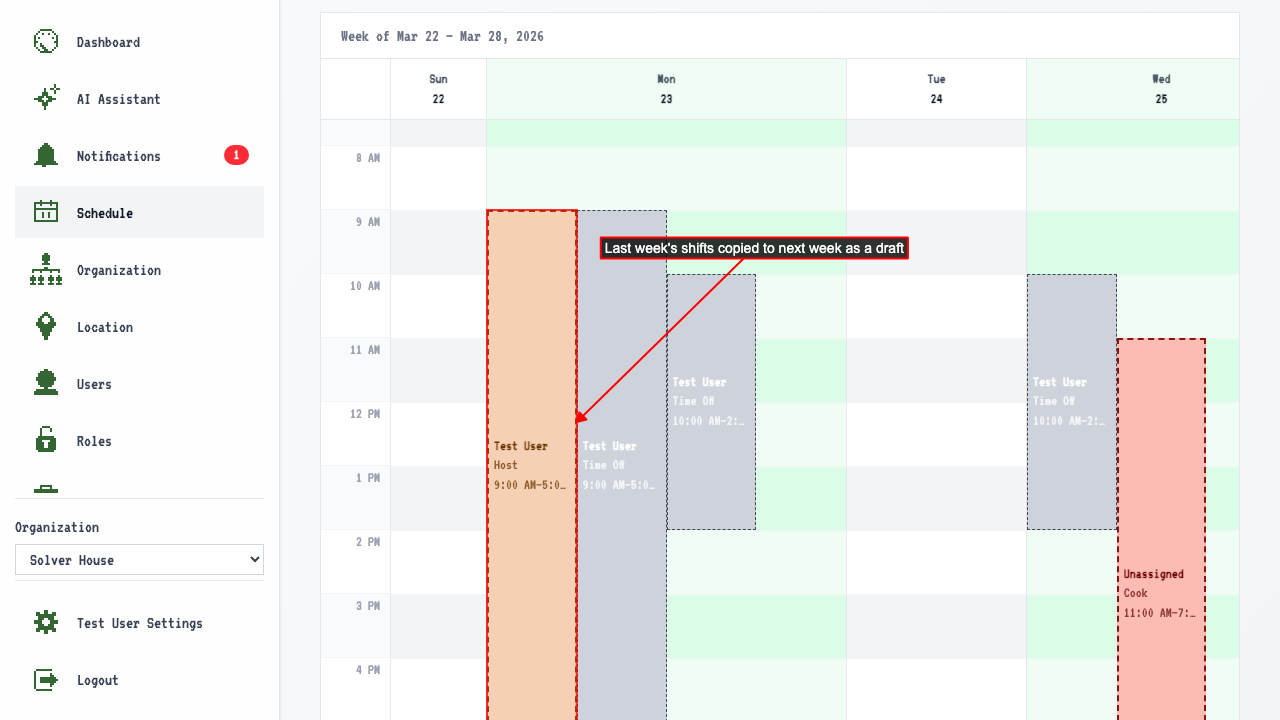
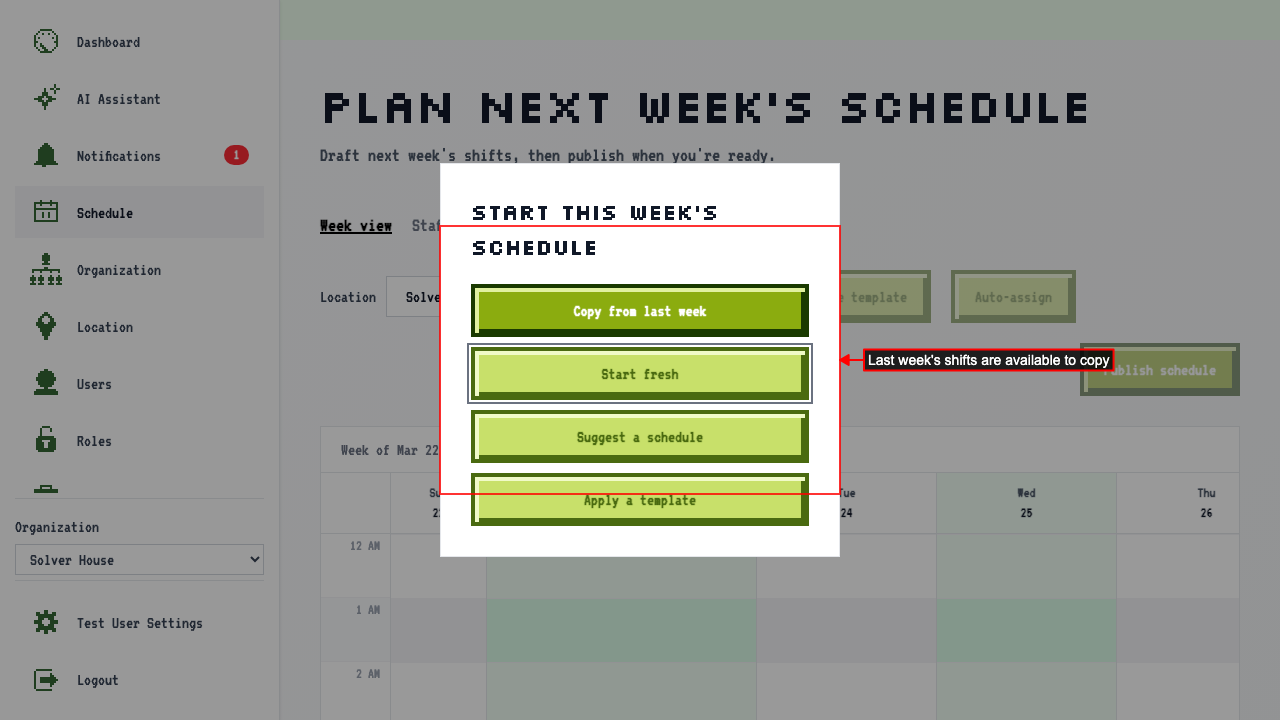 Click 'Copy from last week' to populate the draft calendar.
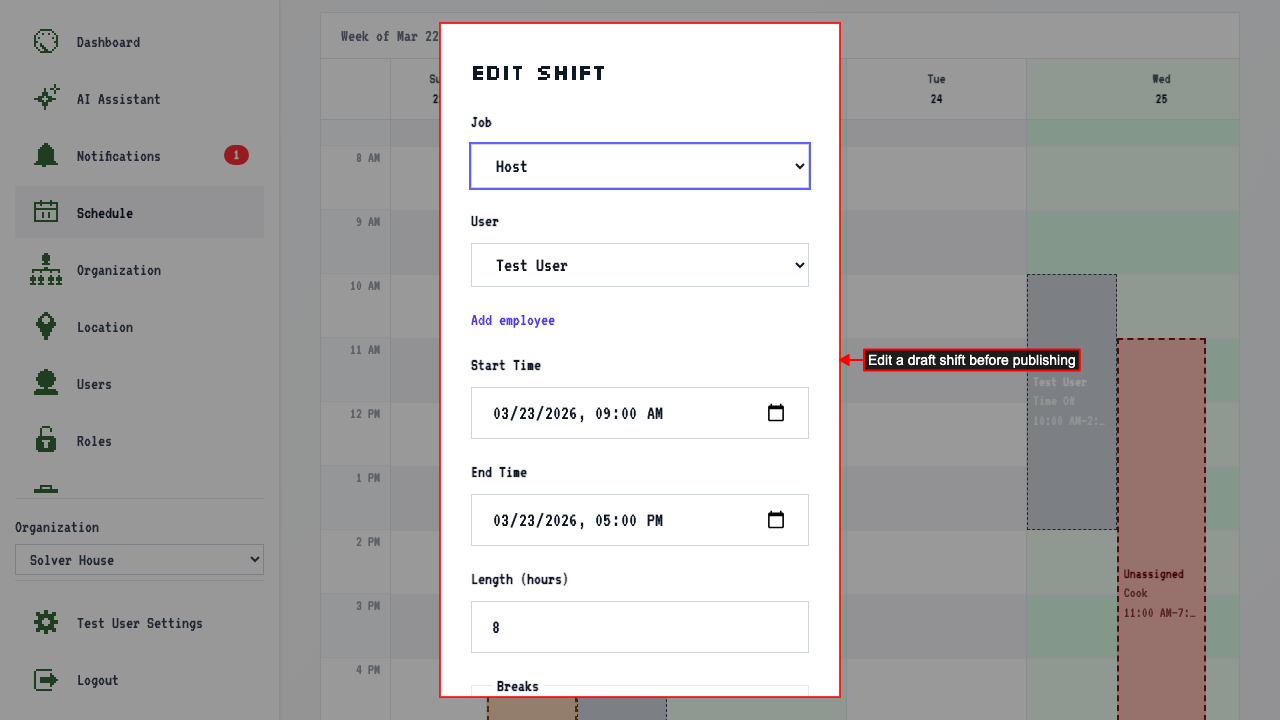
 Click a shift to edit it — change the start time.
 The updated shift reflects the new start time in the calendar.
Delete the unassigned shift — it's no longer needed.
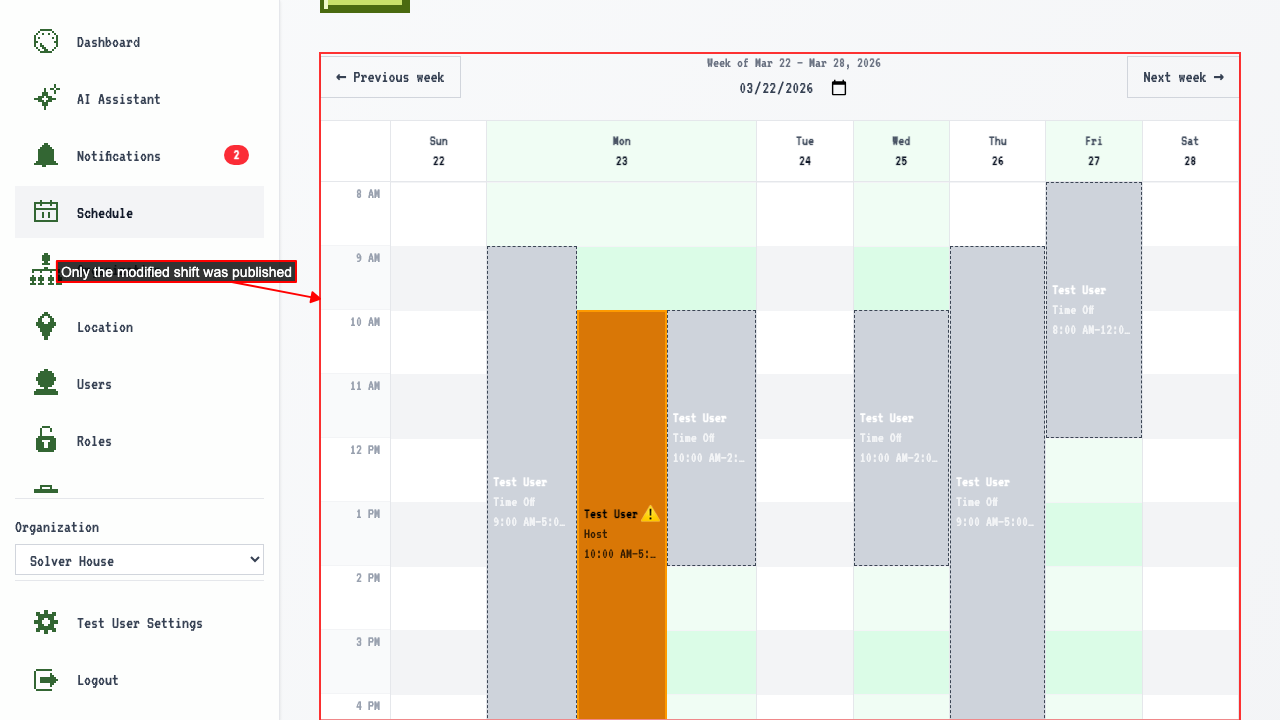
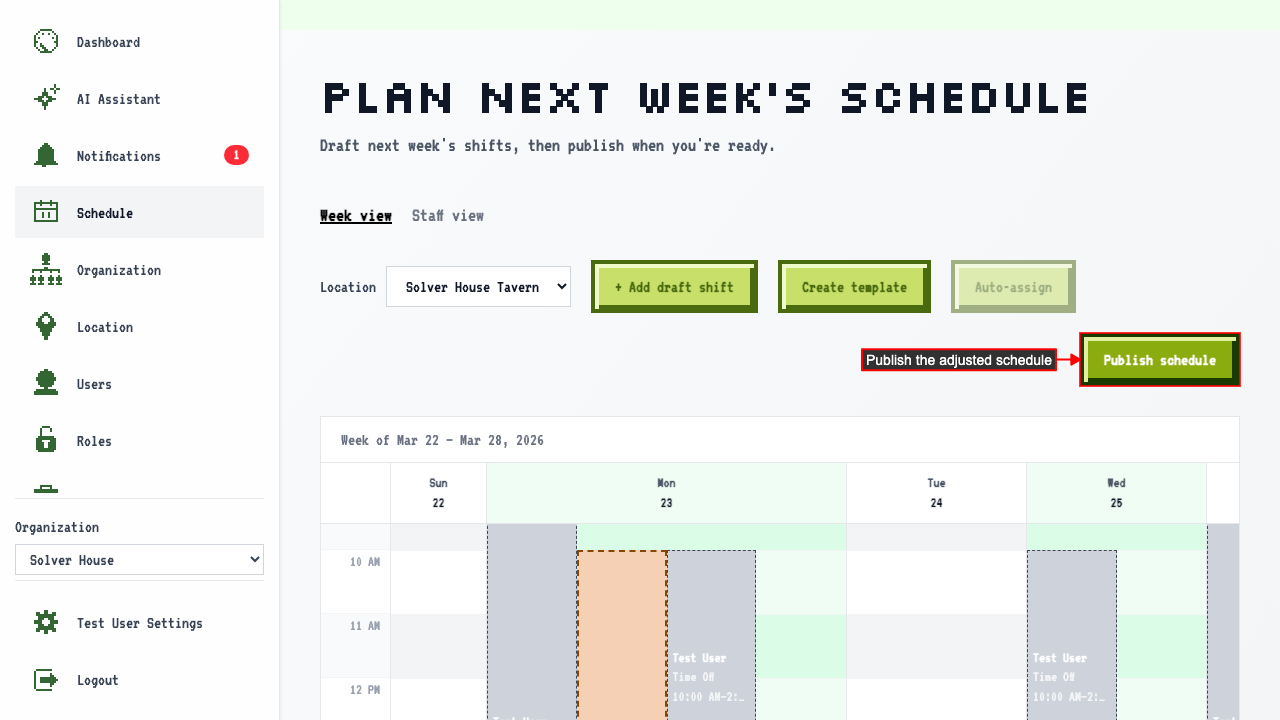
Publish the schedule.
The updated shift reflects the new start time in the calendar.
Delete the unassigned shift — it's no longer needed.
Publish the schedule.
 The published schedule is live, showing only the modified shift.