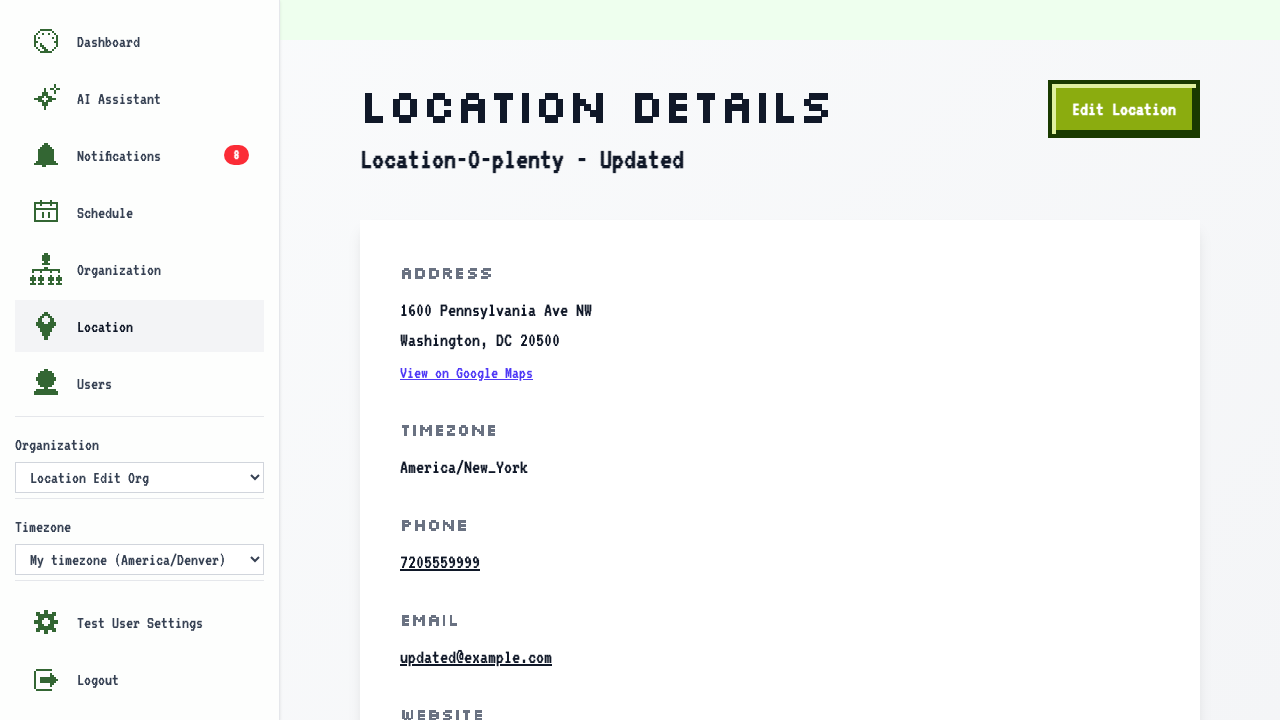
Edit Location
How to edit a location
On the location management page
click the Edit Location button to update the location.
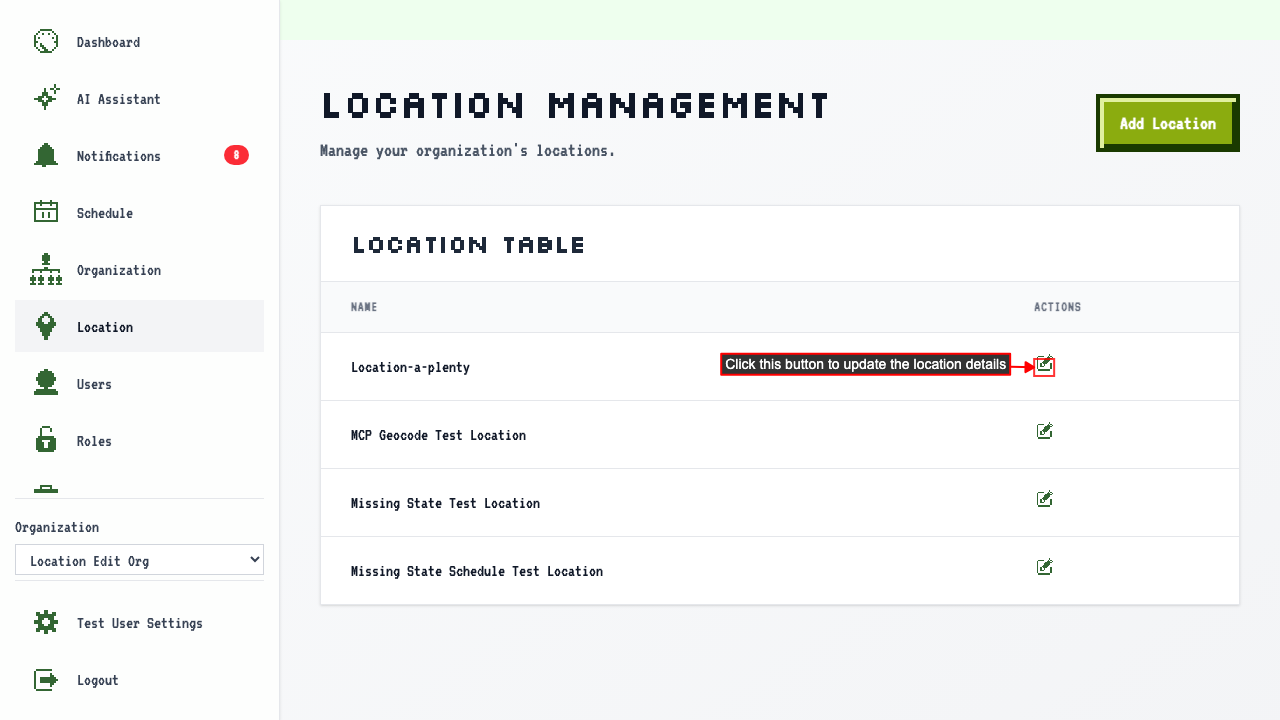
note
All fields arrive pre-populated from the saved location — only change what needs updating.
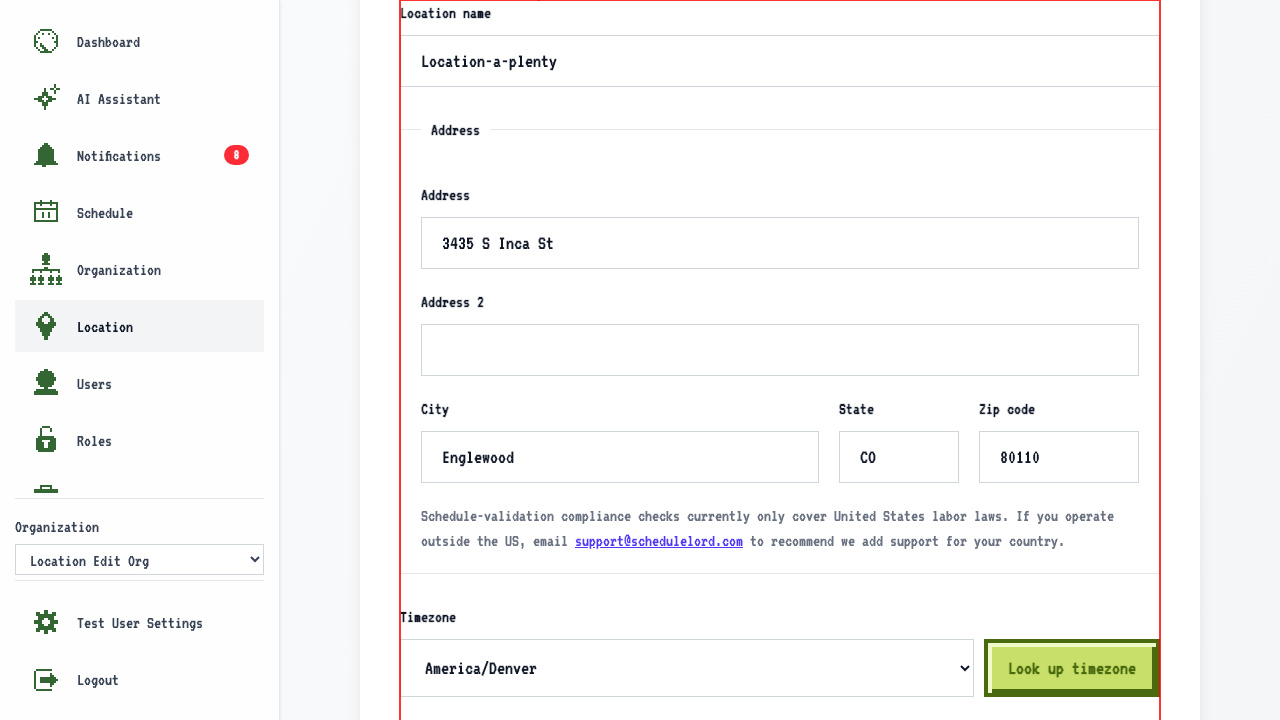 The edit form contains fields for:
- The location name.
- The address.
- The timezone can be recalculated from the address using the Look up timezone button.
- The phone number.
- The email address.
- The website URL.
- Operational hours.
- You can edit existing time slots by updating the days and times.
- You can remove a row of hours by clicking the remove button.
- You can add new time slots with the Add hours button.
After making changes, submit the form.
This redirects to the location details page where you can confirm the updated information.