How to Mention Someone
How to mention a person
Type @ and the first letters of a name. A list of the people in your organization appears.
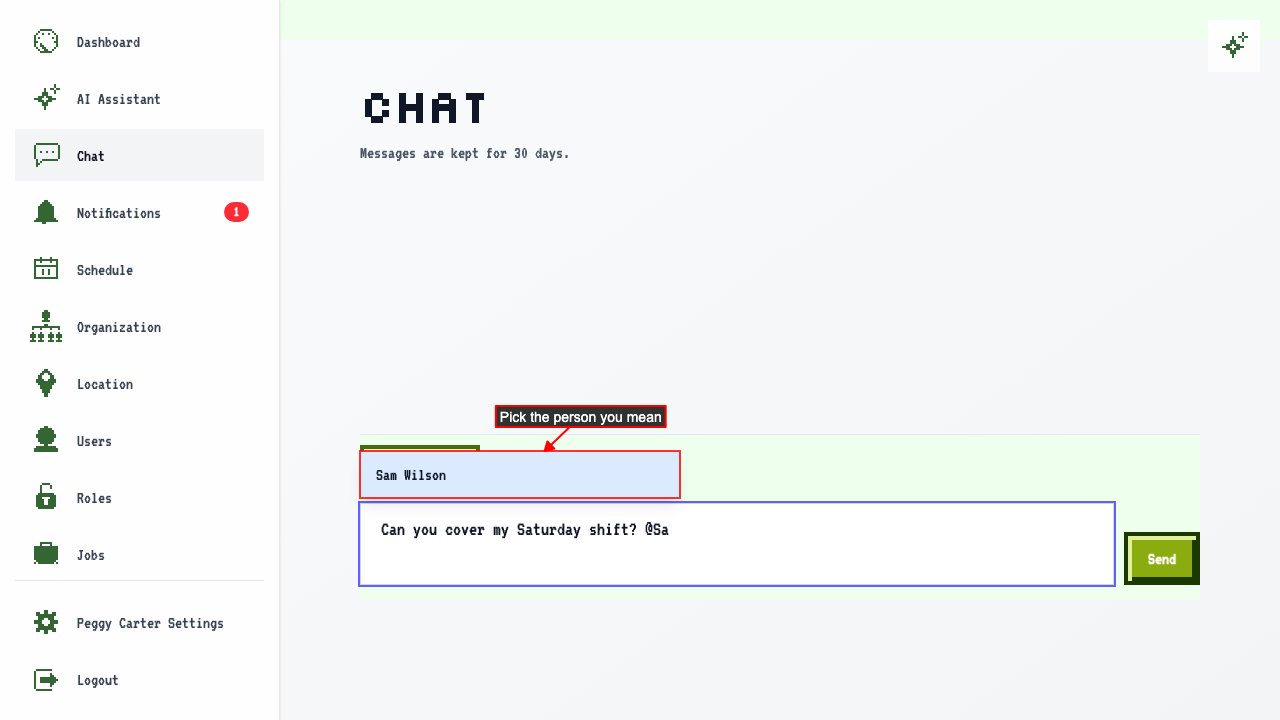 Click the person you want to mention. Their name is added to your message.
Click Send. The name stands out in the message.
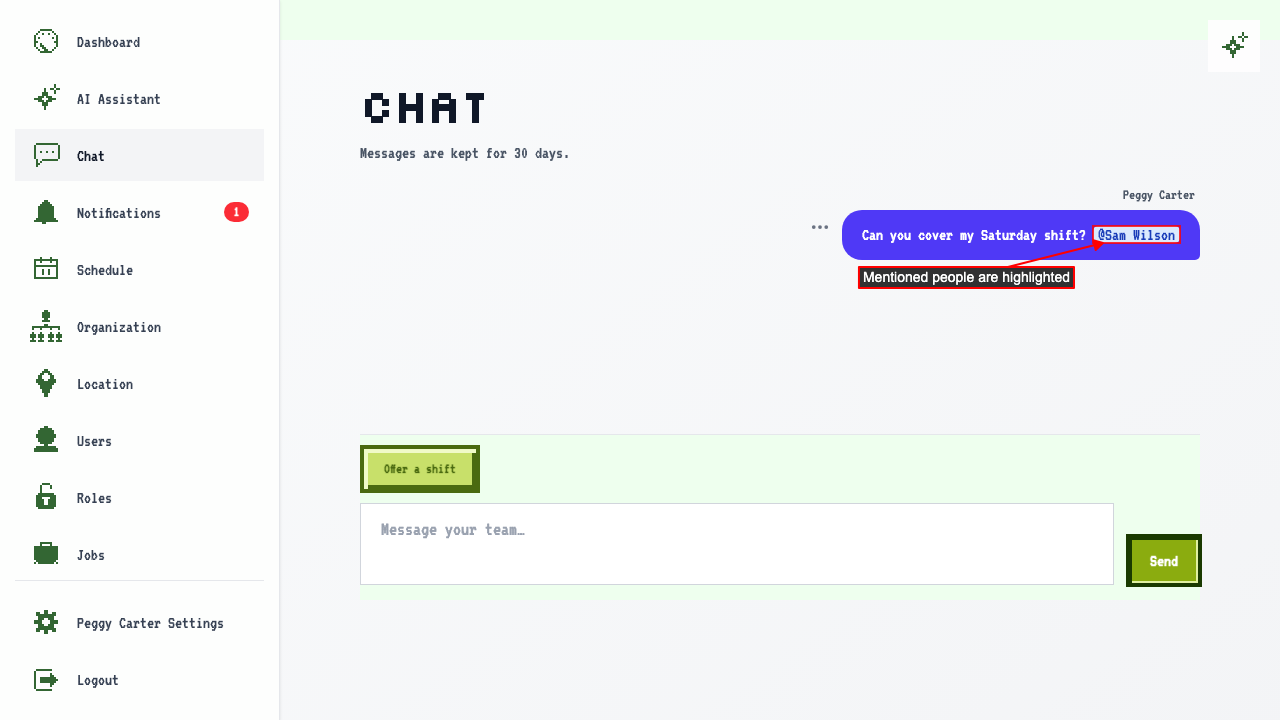
The person you mention gets a push notification, even when they don't have the chat open.
Only the people you mention are notified. Everyone else sees your message when they open the chat.
The mention also appears in the person's notification center.
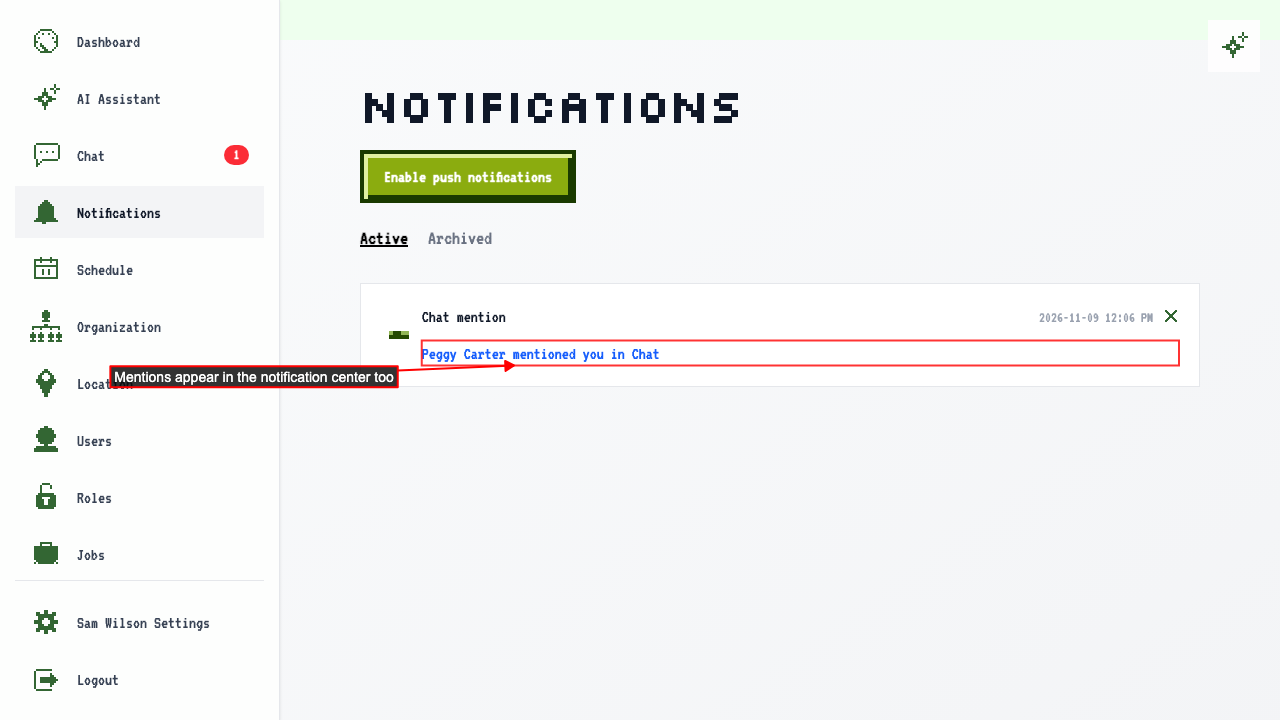 Click it to go straight to the chat.
How to mention more than one person
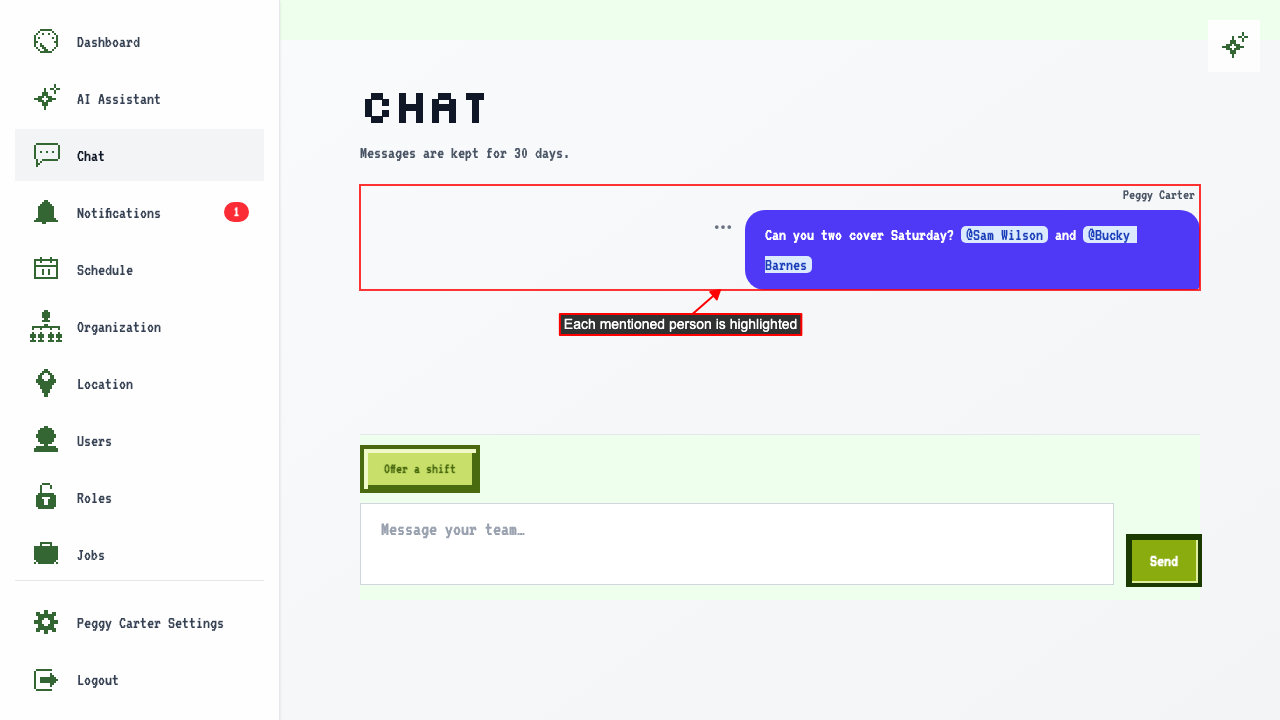
You can mention as many people as you like. Choose the first person from the list as usual. Keep typing, then type @ again to add the next person. Click Send. Everyone you mentioned is highlighted in the message and gets a notification.
How to mention someone with the keyboard
Type @ to see the people you can mention. Use the Up and Down arrow keys to move through the list.
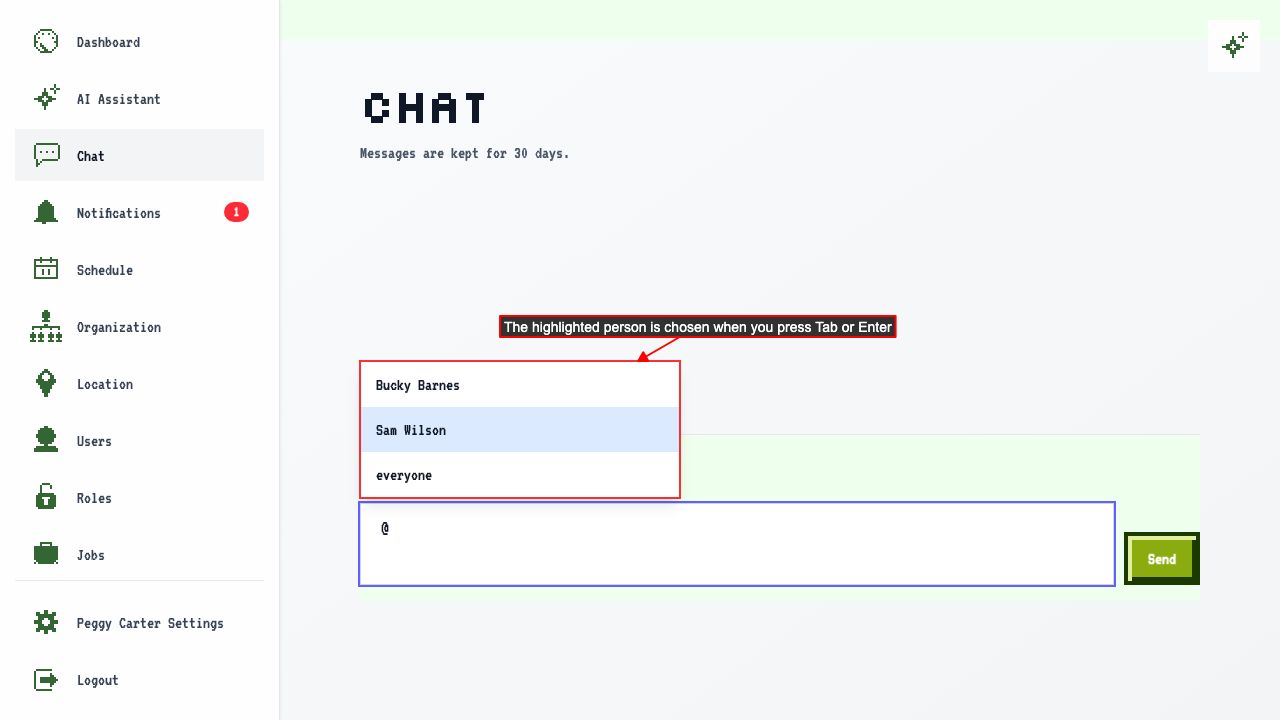 Press Tab or Enter to choose the highlighted person.
While the list is open, Enter chooses a person instead of sending your message.
Press Escape to close the list without choosing anyone.
How to mention everyone
To notify everyone in your organization, type @ever and choose everyone.
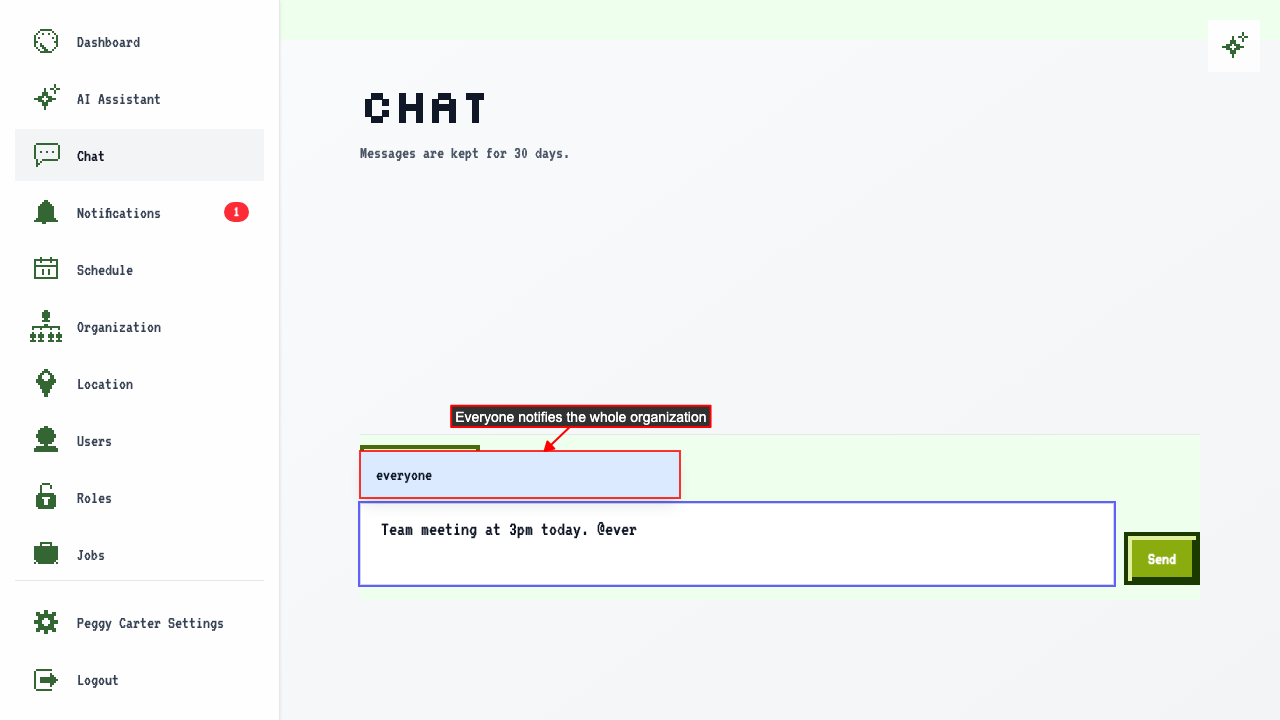 Click Send. Everyone else in the organization gets a push notification.
You don't get a notification for your own message.