How to Offer or Take a Shift
How to offer your shift to the team
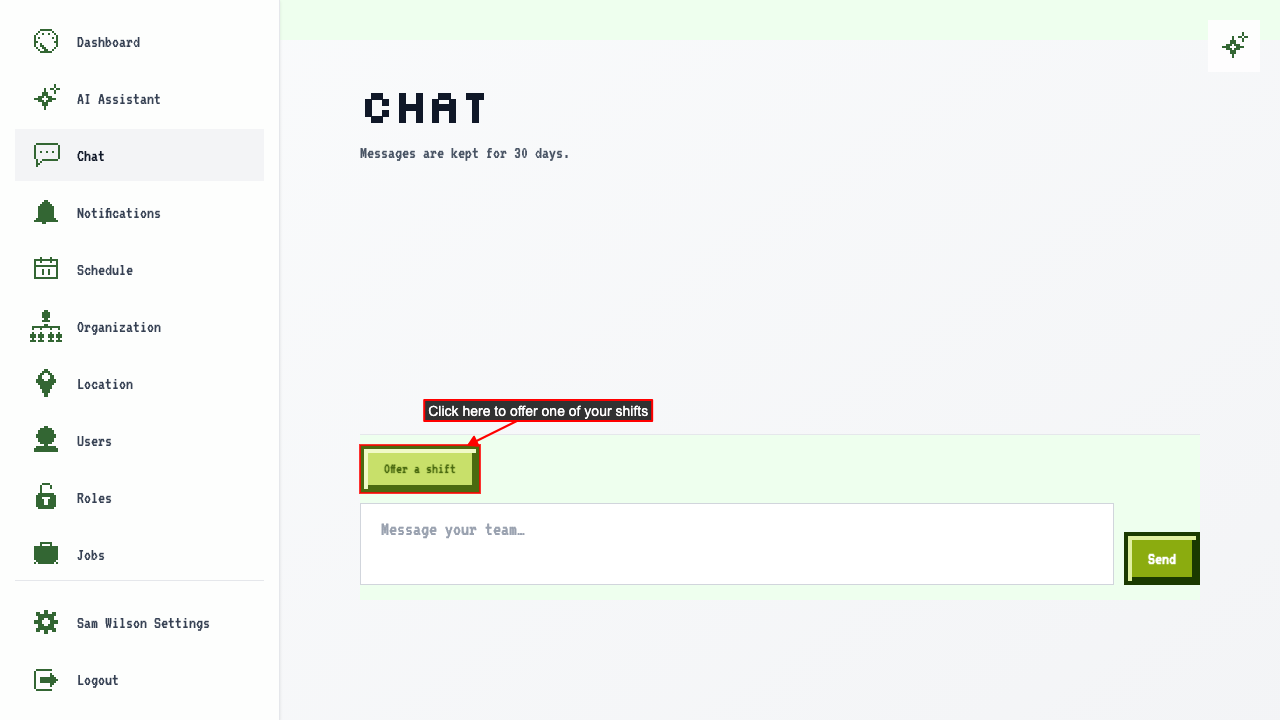
To ask the team to cover a shift, open the chat and click Offer a shift.
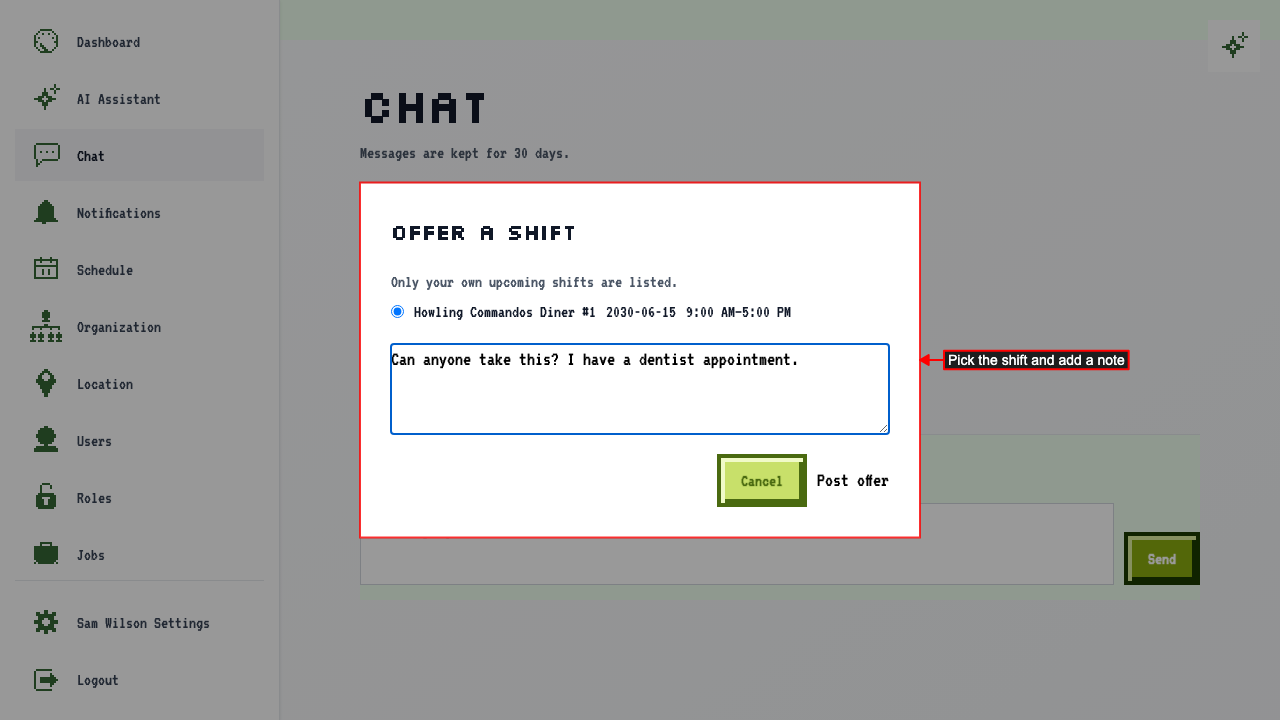
Only your own upcoming shifts are listed.
Change the shift if you need to, add a note if you like, and click Post offer.
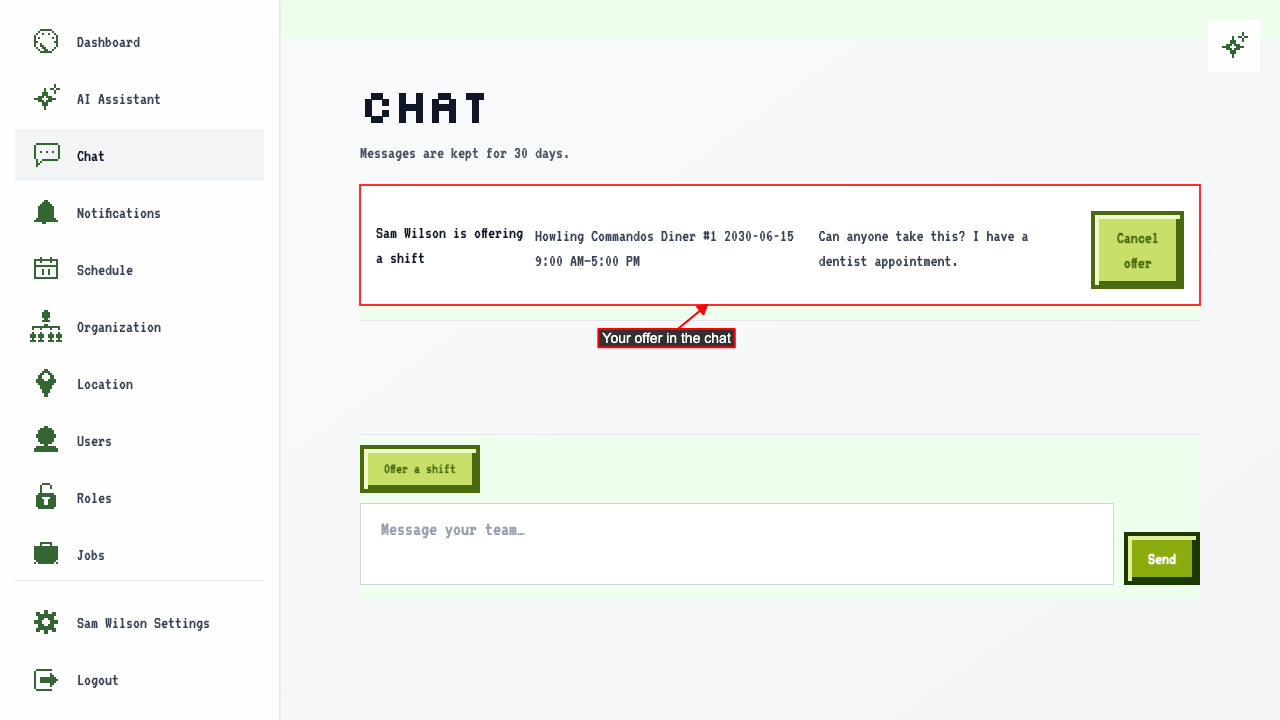
 Your offer appears in the chat as a card with the shift's day, time, and place.
Everyone else sees it right away, with a Take this shift button. You don't see that button on your own offer. Open offers are pinned to the top of the chat, so they stay in view however many messages follow.
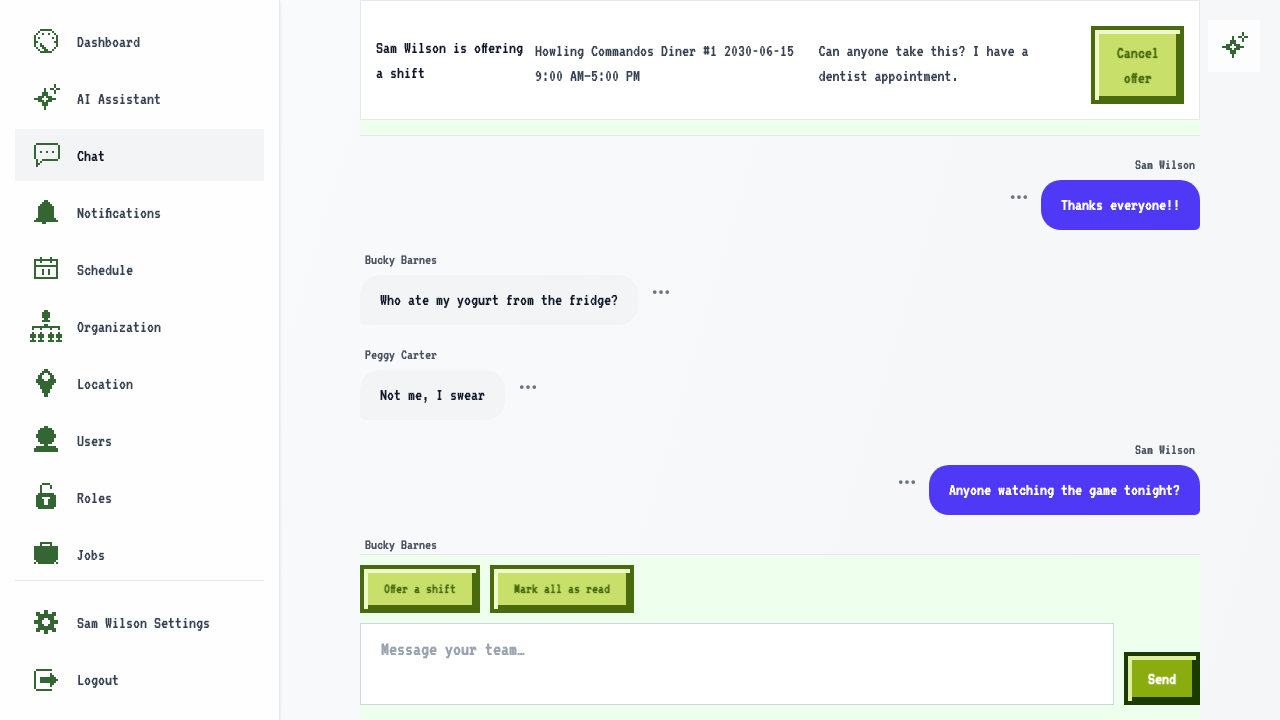
To withdraw your offer, click Cancel offer.
How to take a shift a coworker is offering
When a coworker offers a shift you want, click Take this shift.
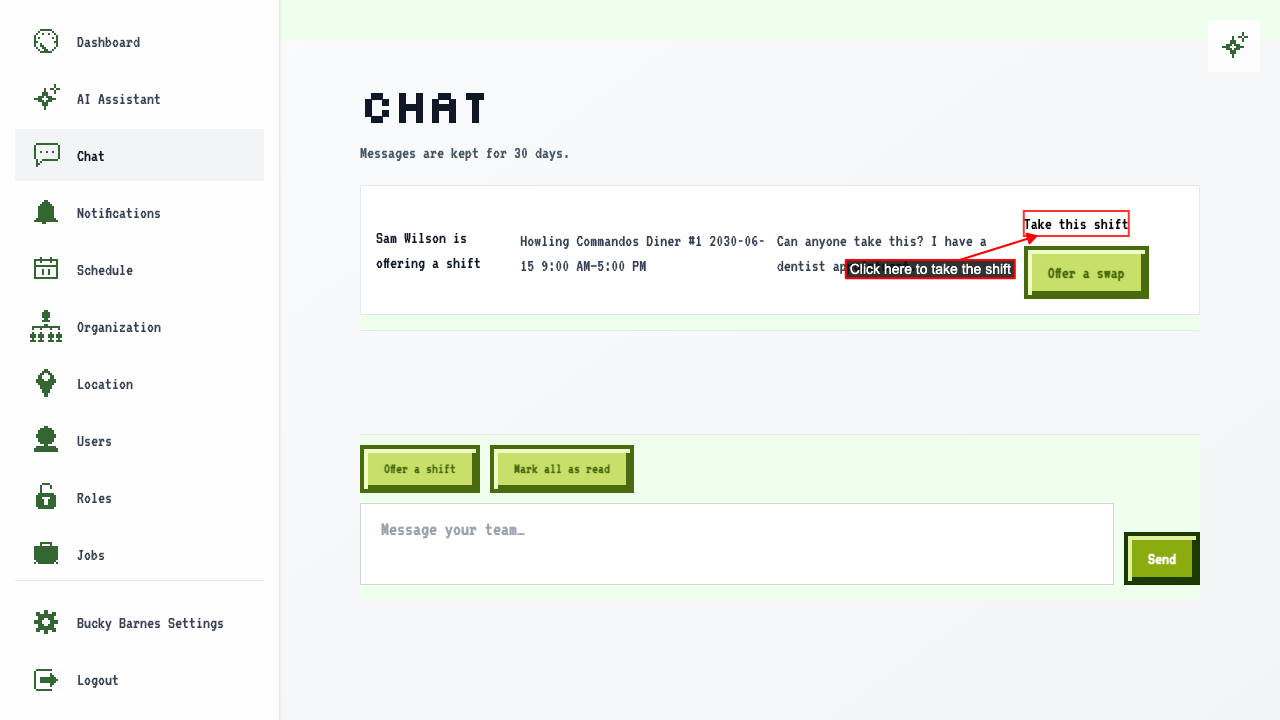 The shift is yours right away. The card shows who took it, and it leaves the pinned offers.
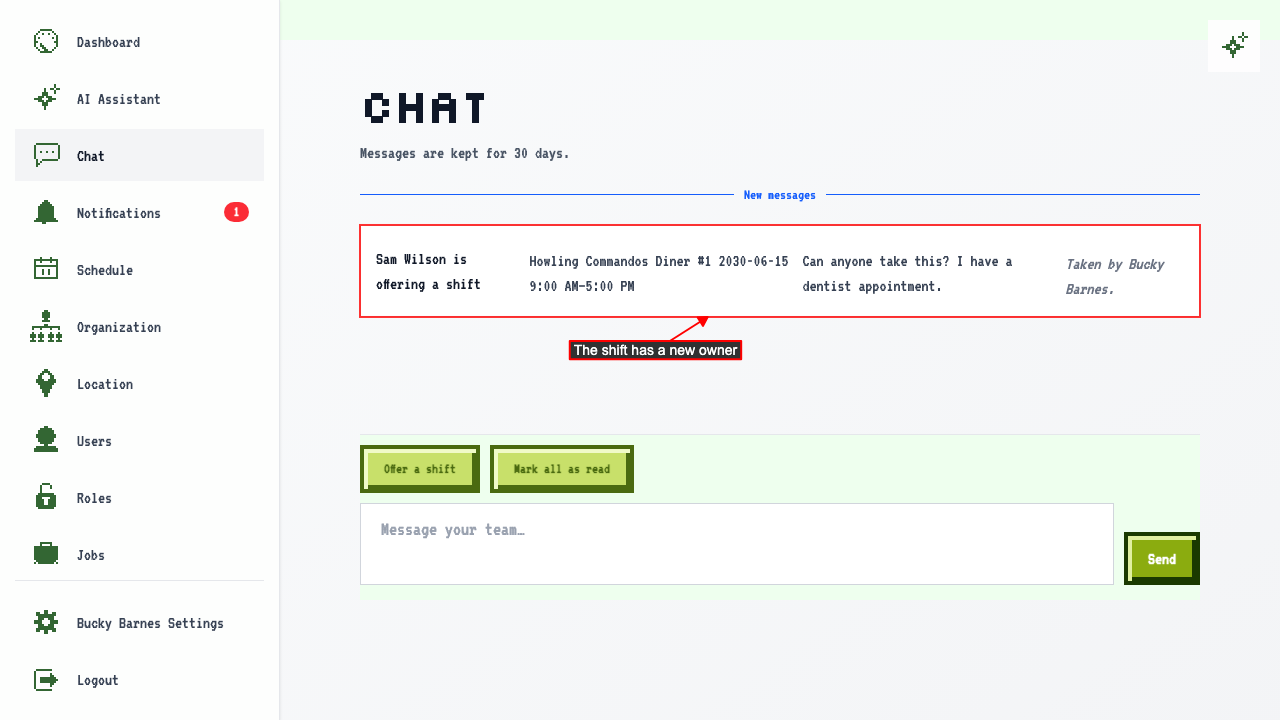
The shift moves to the new person's schedule, and both people get a notification.
How to swap shifts with a coworker
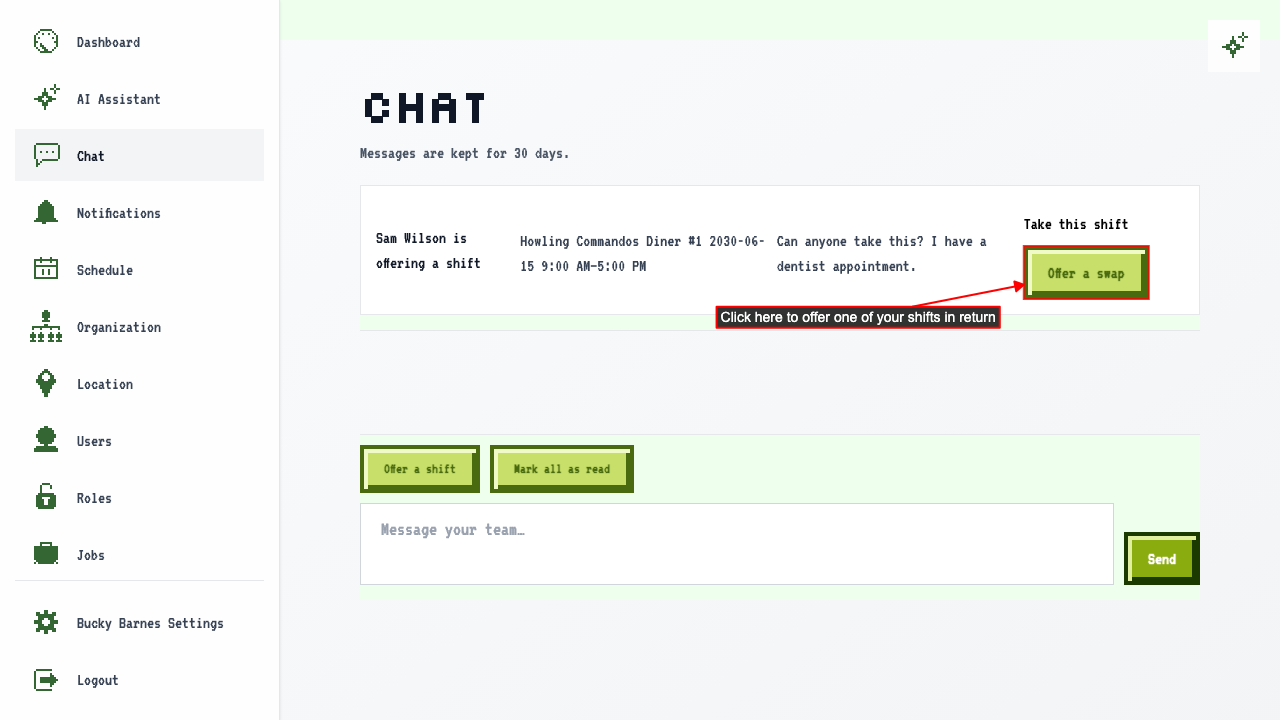
If you'd rather trade than pick up an extra shift, click Offer a swap on the card.
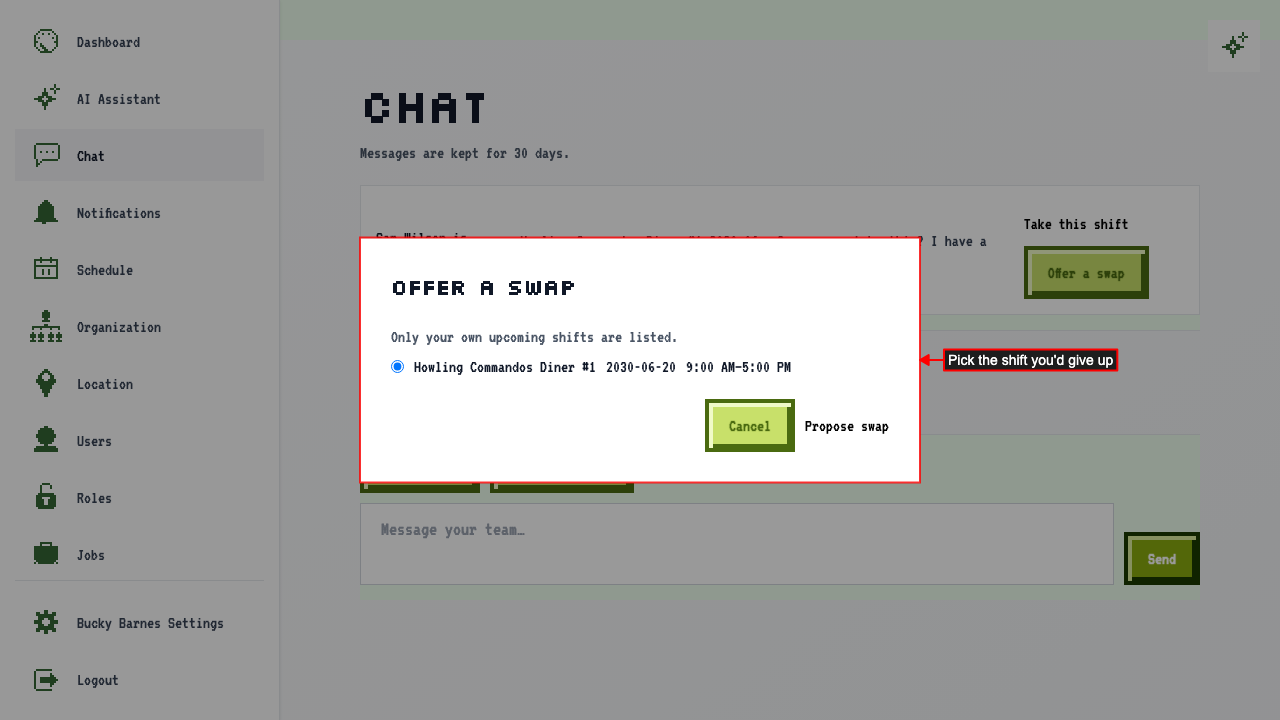
 Pick the shift you'd give up and click Propose swap.
Only your own upcoming shifts are listed.
 If neither of you would break a labor rule, the shifts trade right away. The card shows who you swapped with.
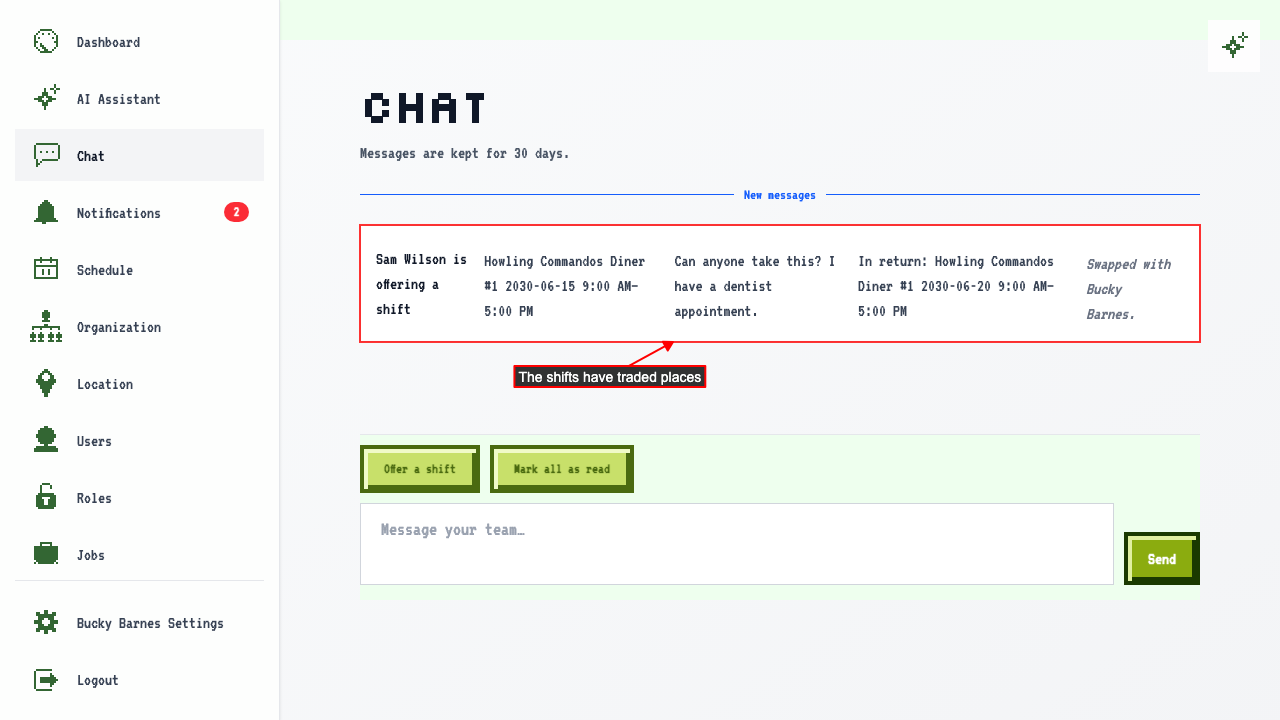
Each shift moves to the other person's schedule, and both of you get a notification.
When taking a shift needs a manager's approval
Sometimes taking a shift would break one of your organization's labor rules for the person who asks, such as putting them over 40 hours in a week. When that happens, the shift isn't handed over yet. The offer stays pinned and tells everyone who asked, why, and that it's waiting for a manager.
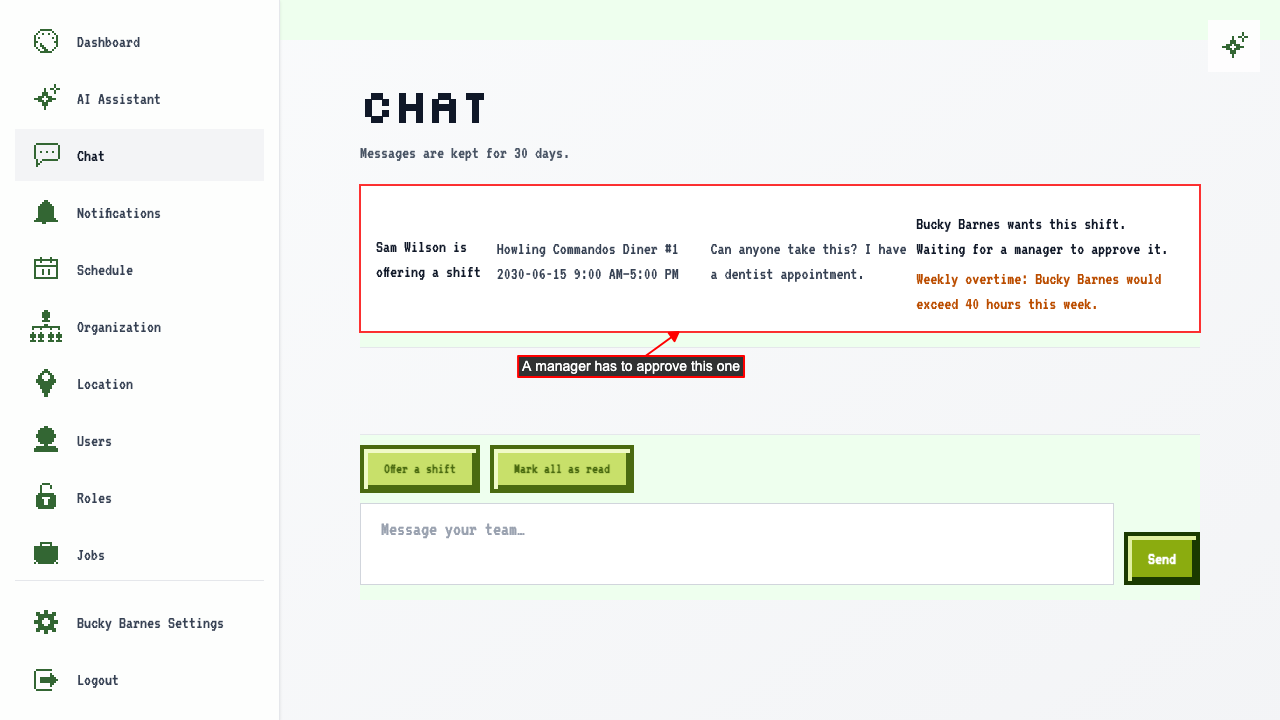
Until a manager approves, the shift stays on the schedule of the person who offered it. Only managers and owners see Approve and Decline.
Managers and owners get a notification that someone asked. On the card they see Approve and Decline. Click Approve to move the shift to the person who asked. Both people are notified, just like any other schedule change. Click Decline instead to leave the shift where it is, and the offer opens up again for anyone else to take.