Deleting a Job
How to delete a job
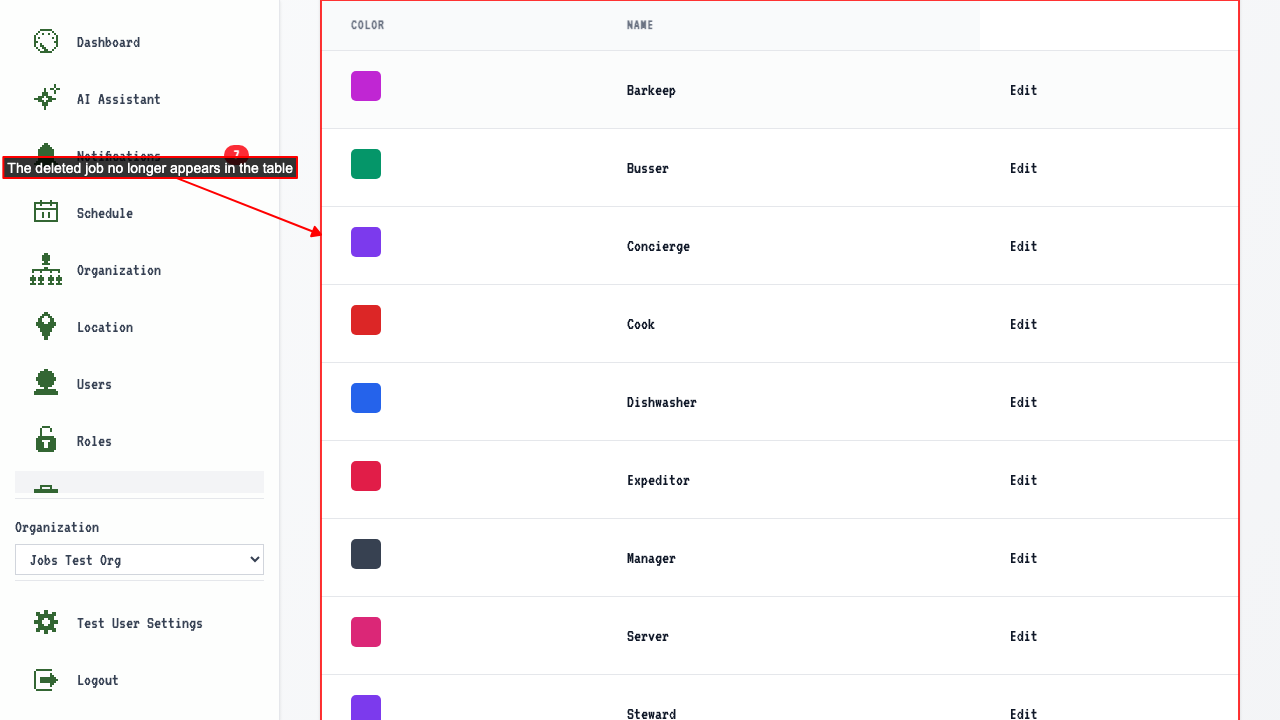
Start on the Jobs page.
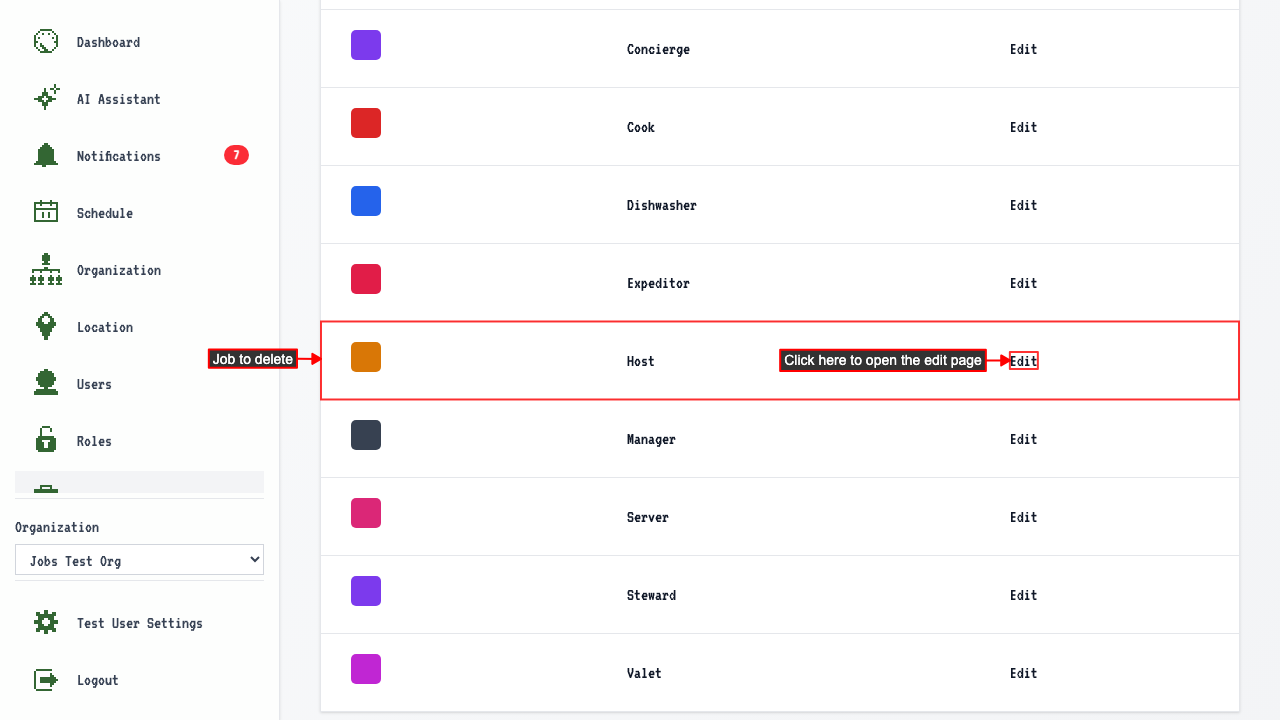
Click the Edit link for the job you want to delete.
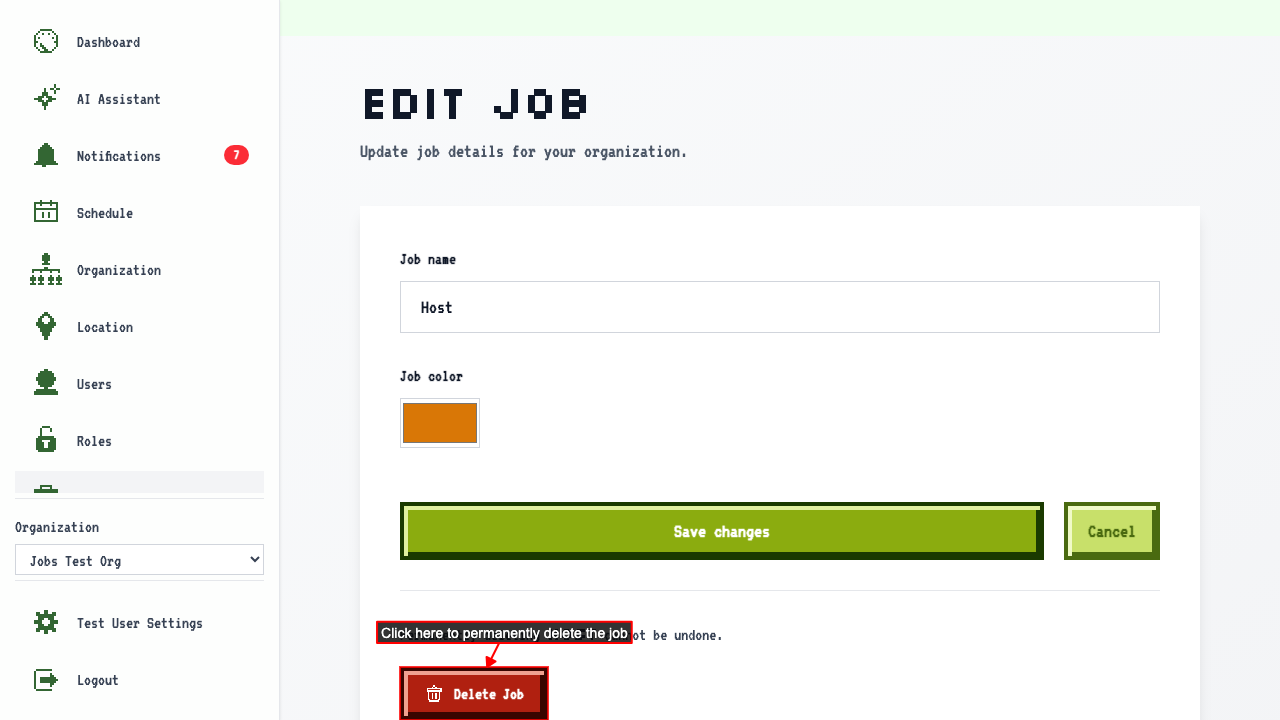
 Then click Delete Job to permanently remove it.
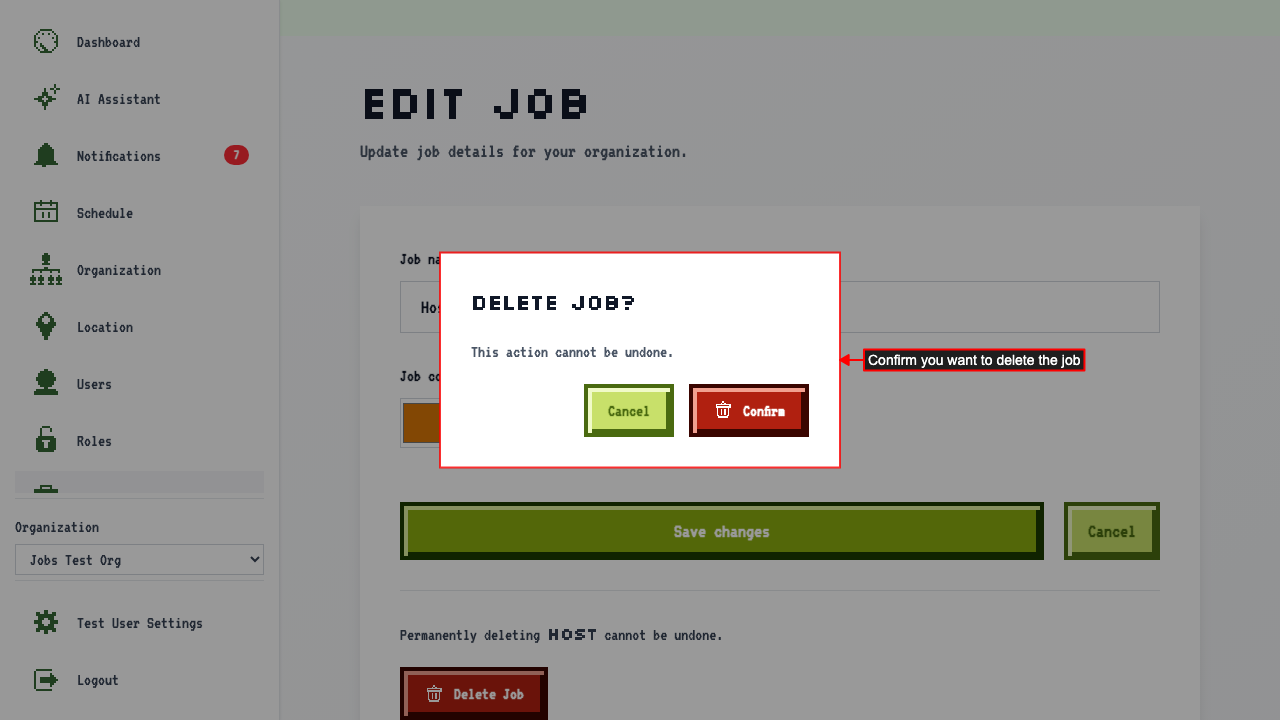
 A confirmation modal appears. Click confirm button to permanently delete the job.
 This redirects back to the job management page where the job no longer appears.