Delete Job
How to delete a job
When on the job management page,
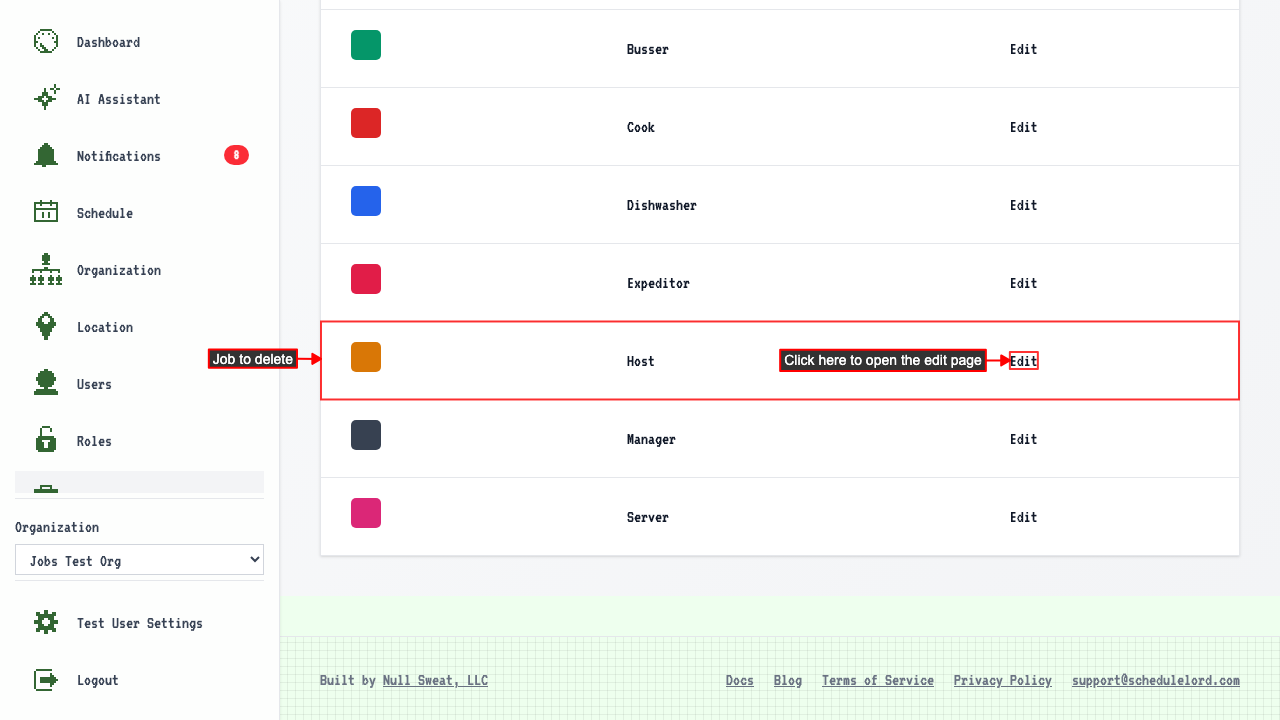
Click the Edit link for the job you want to delete.
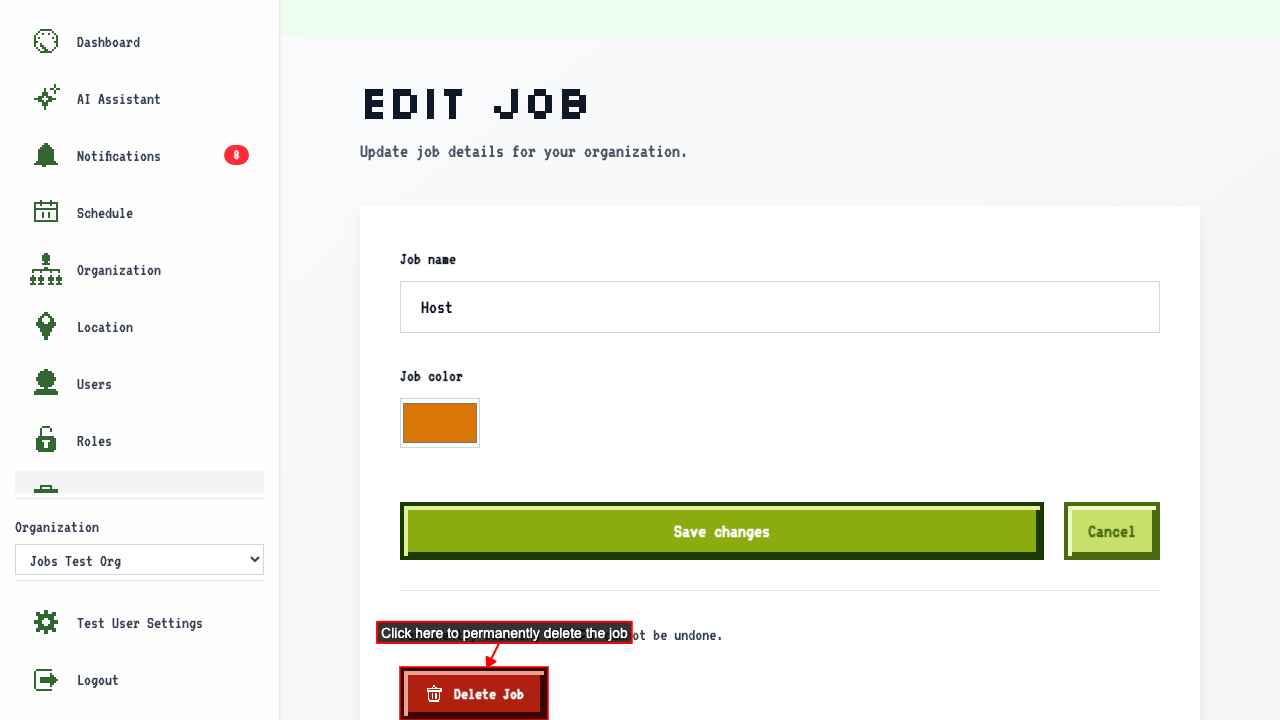
 Then click Delete Job to permanently remove it.
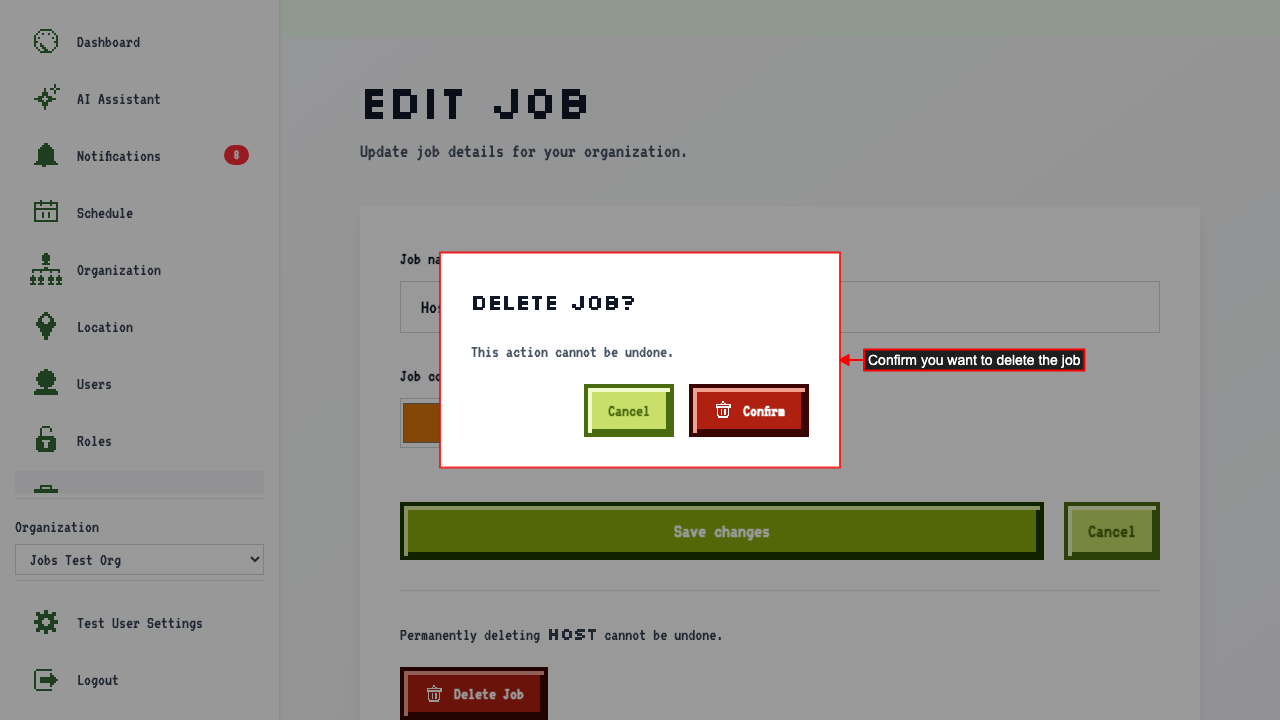
 A confirmation modal appears. Click confirm button to permanently delete the job.
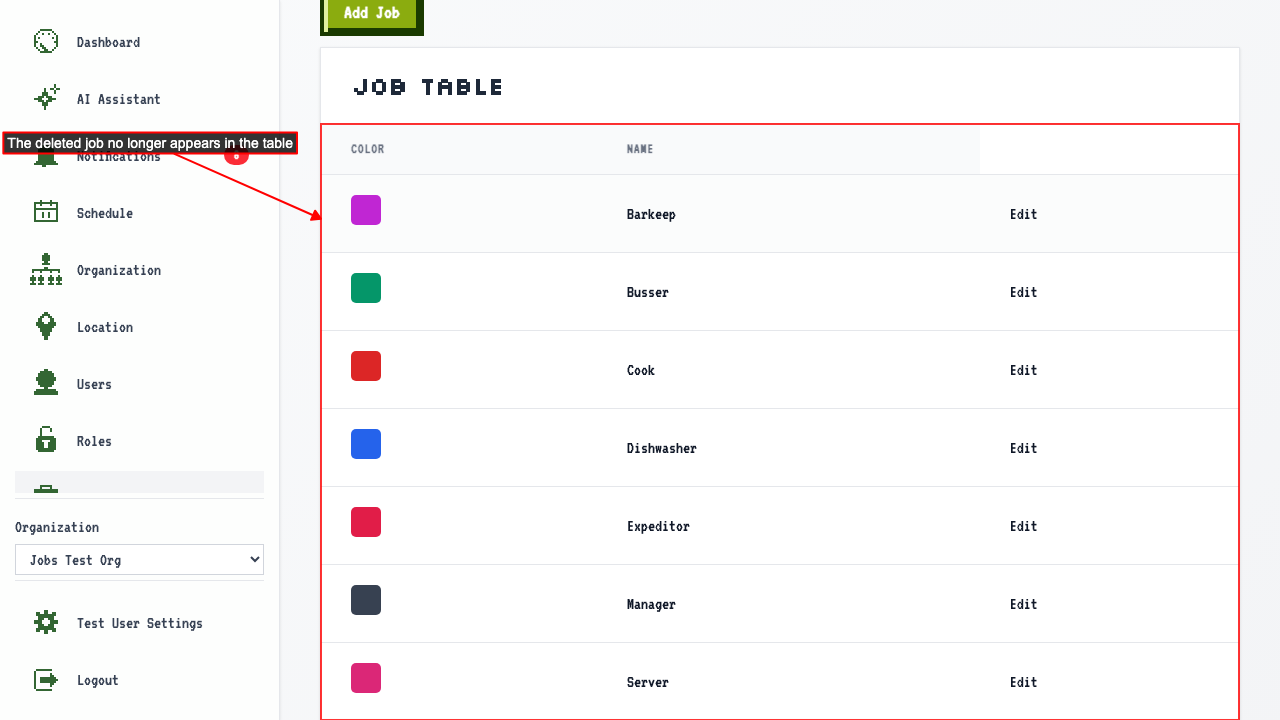
 This redirects back to the job management page where the job no longer appears.