Editing a Role
How to edit a role
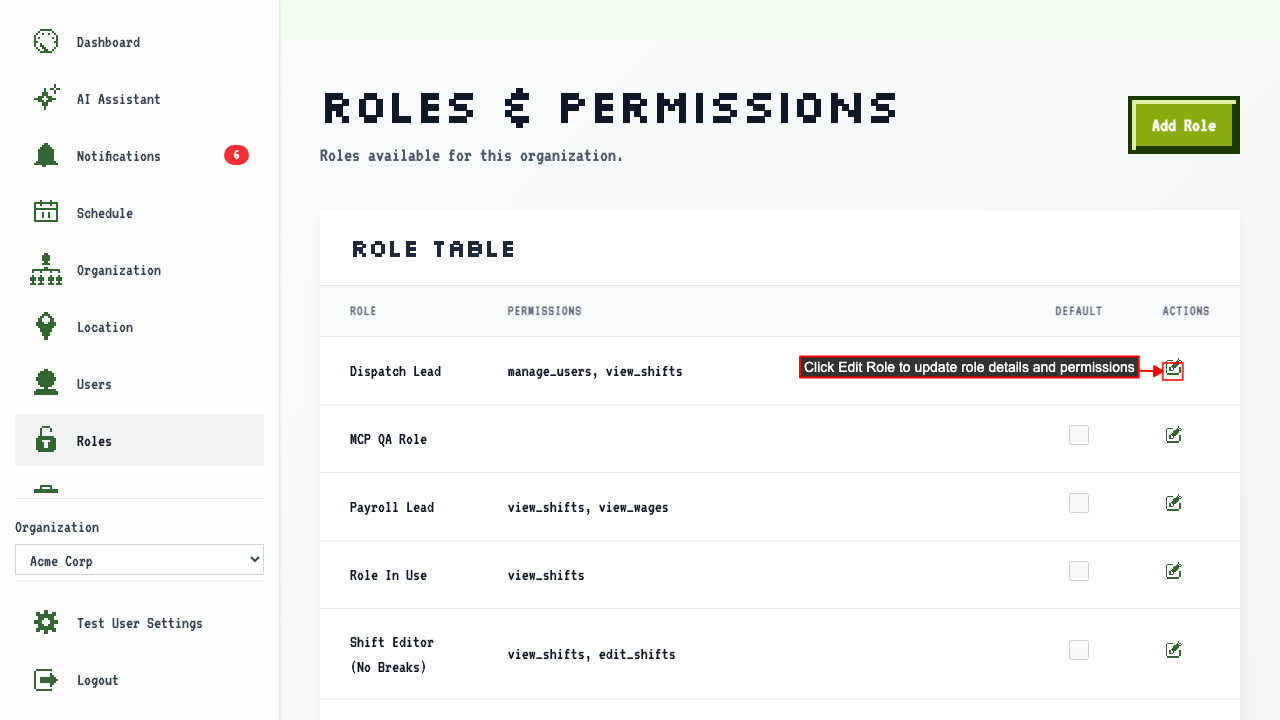
Start on the Roles page.
The table shows each role and the permissions it currently has.
Click the Edit Role link for the role you wish to change.
 Then the edit form shows current role values.
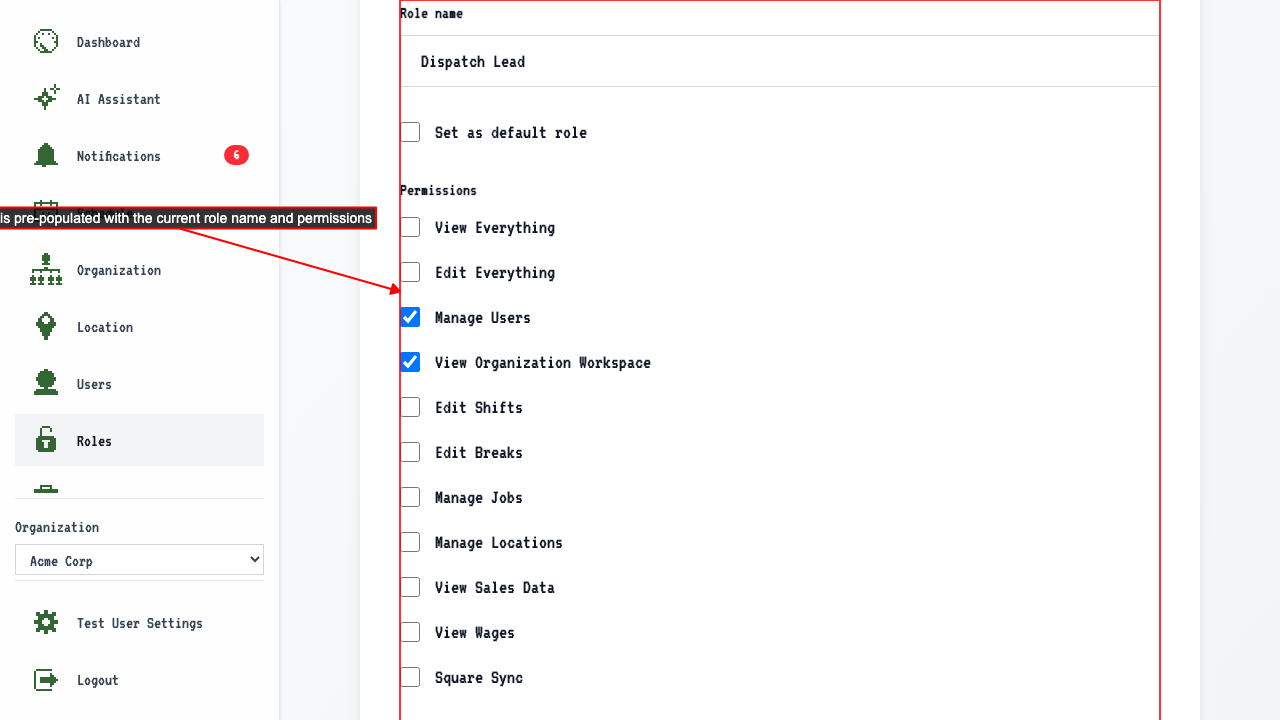 Here you can update:
- Role name
- Permissions
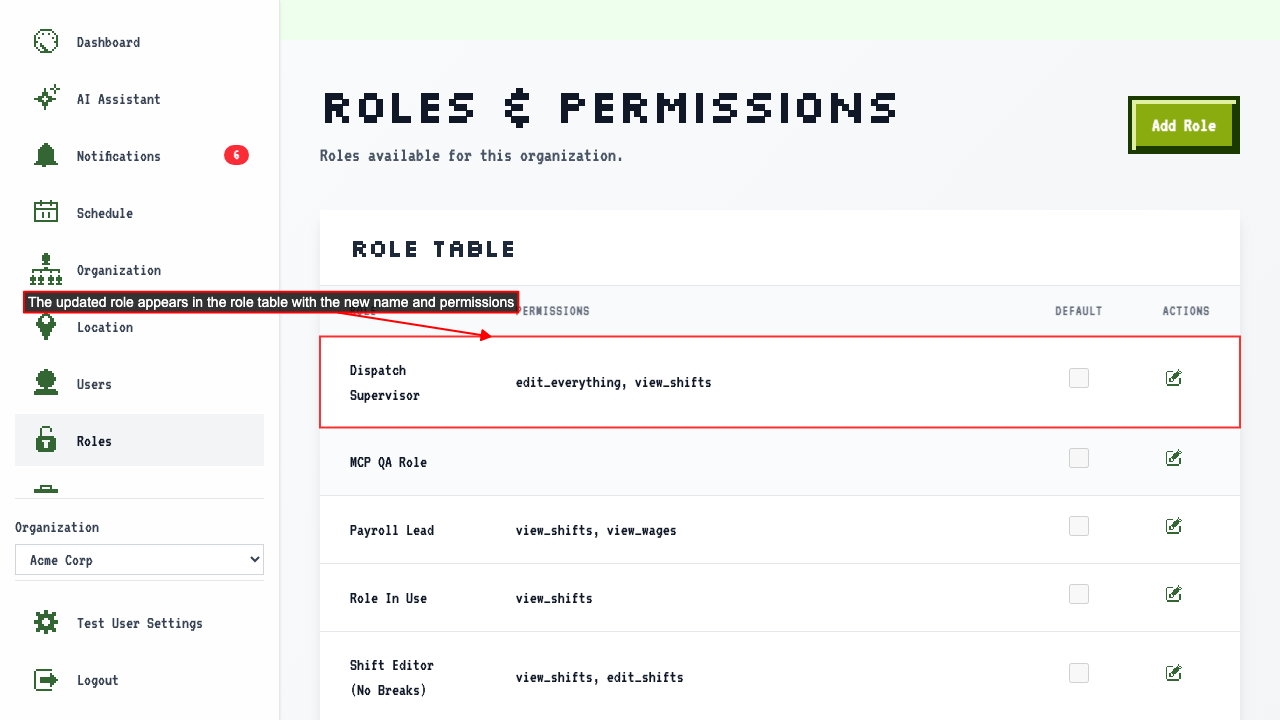
Submit your changes, and the table shows the role with its new permissions.
The Owner role's permissions can't be changed
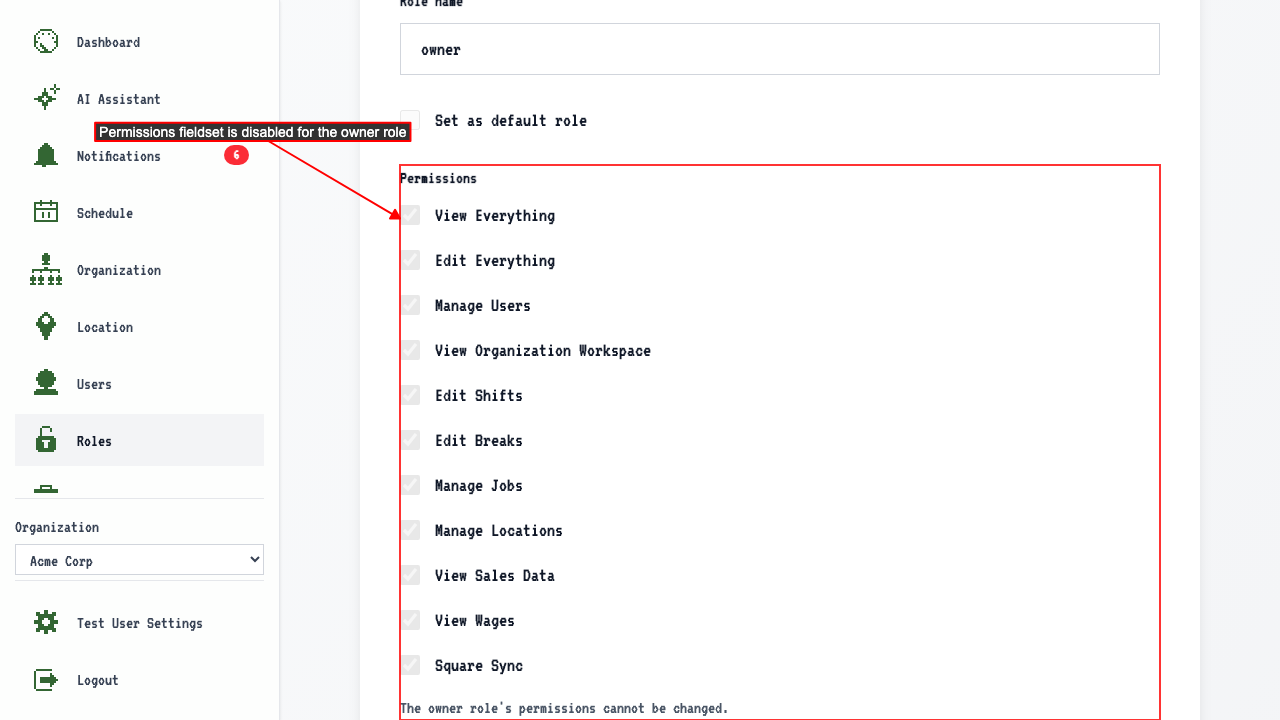
Open the edit page for the Owner role.
Its permissions can't be edited, and a message explains why.