Deleting a Shift
How to delete a shift
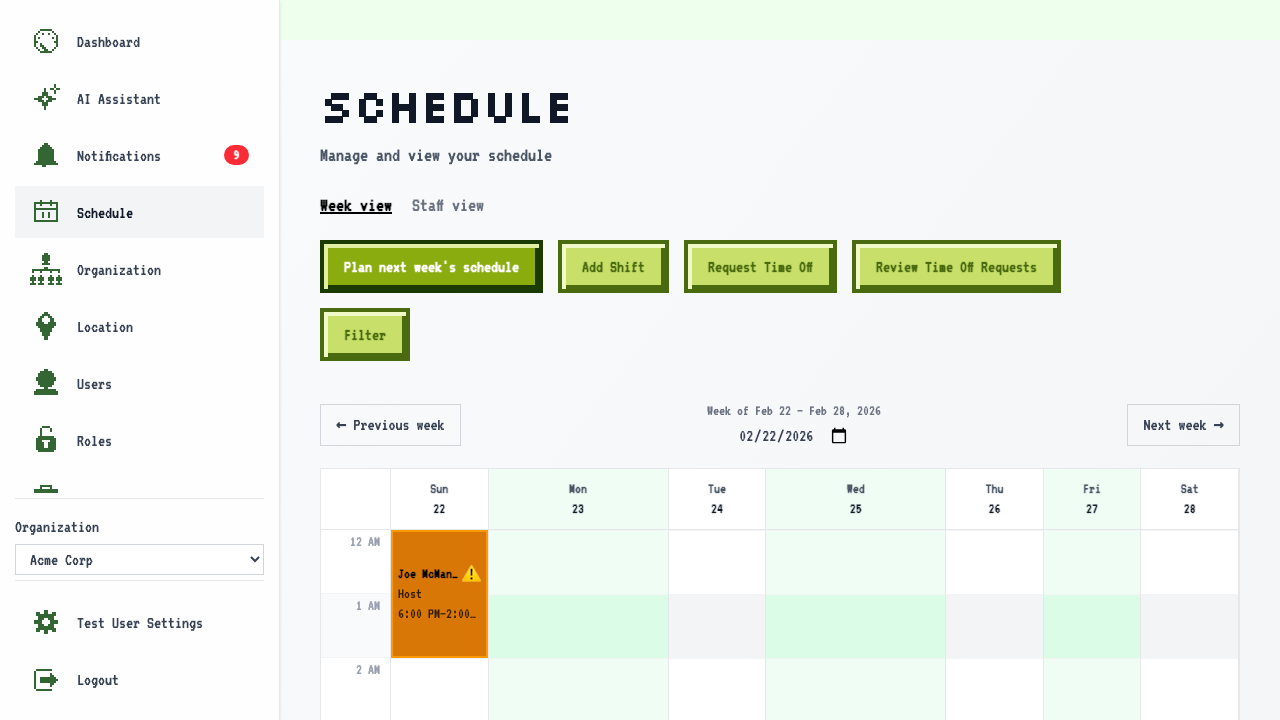
Start on the schedule page, on a week that has shifts.
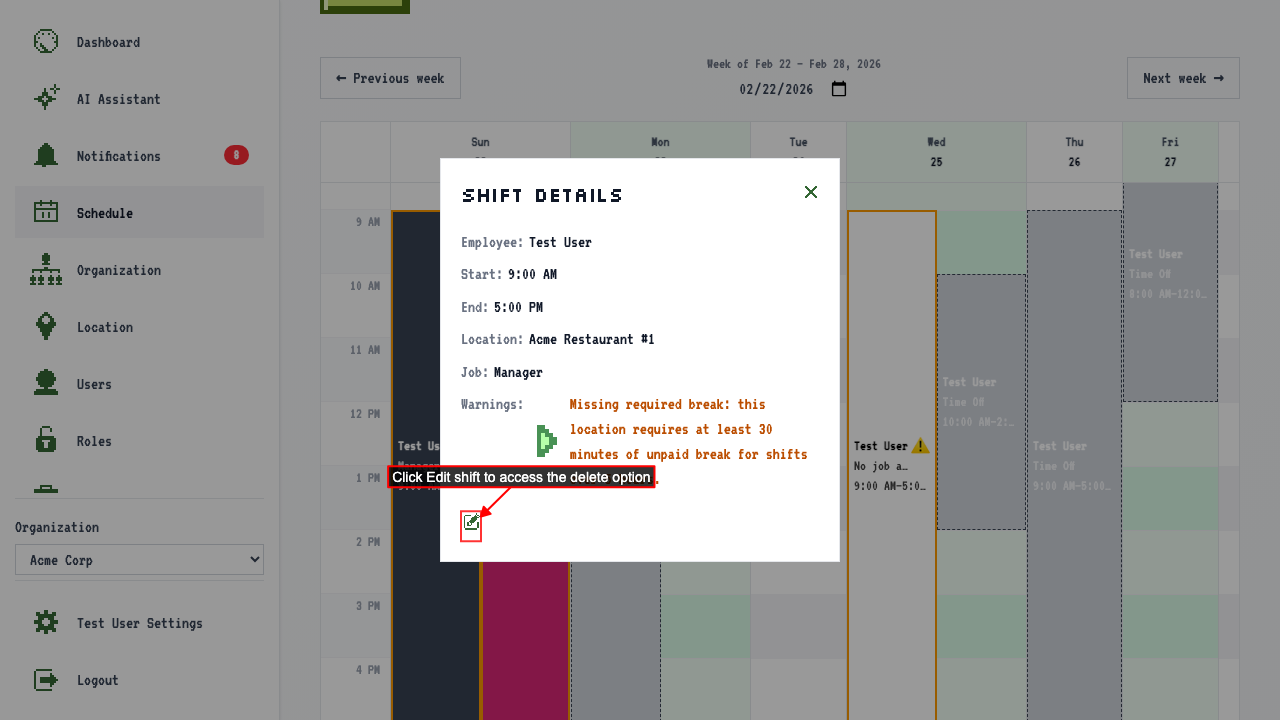
Click the shift to see its details.
Click 'Edit shift' to open the edit page.
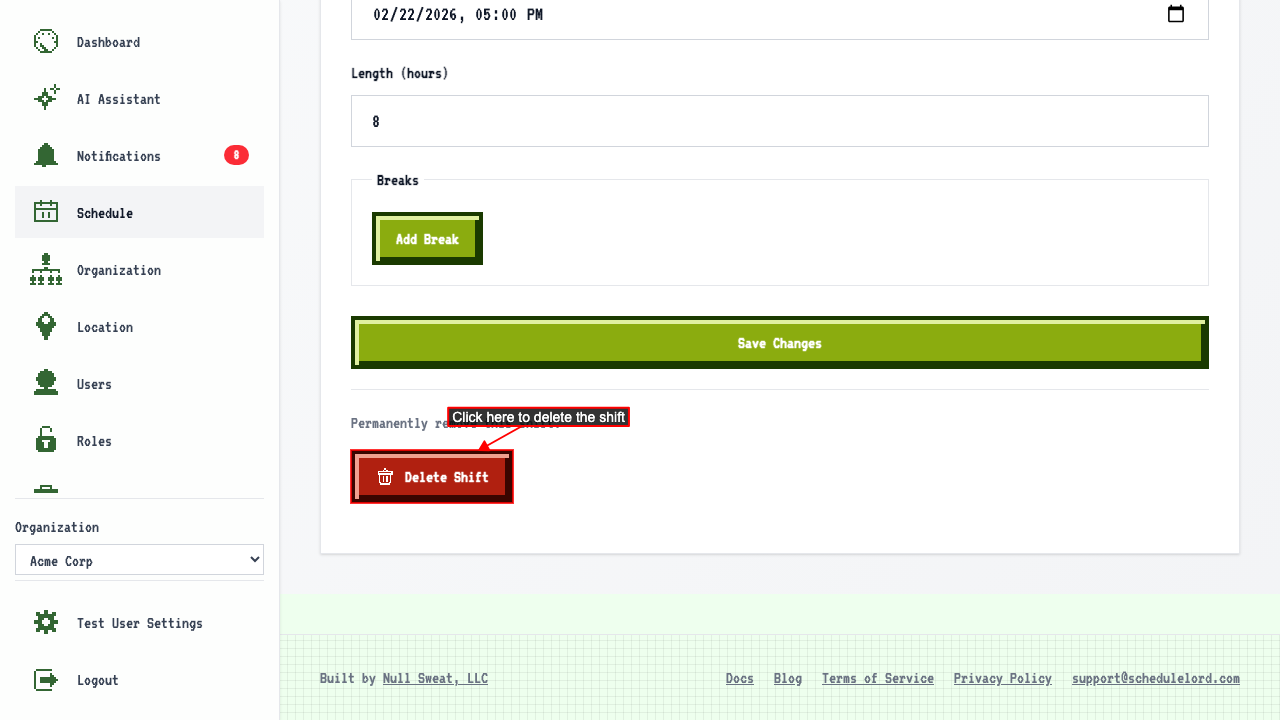
 Click the Delete Shift button to remove the shift.
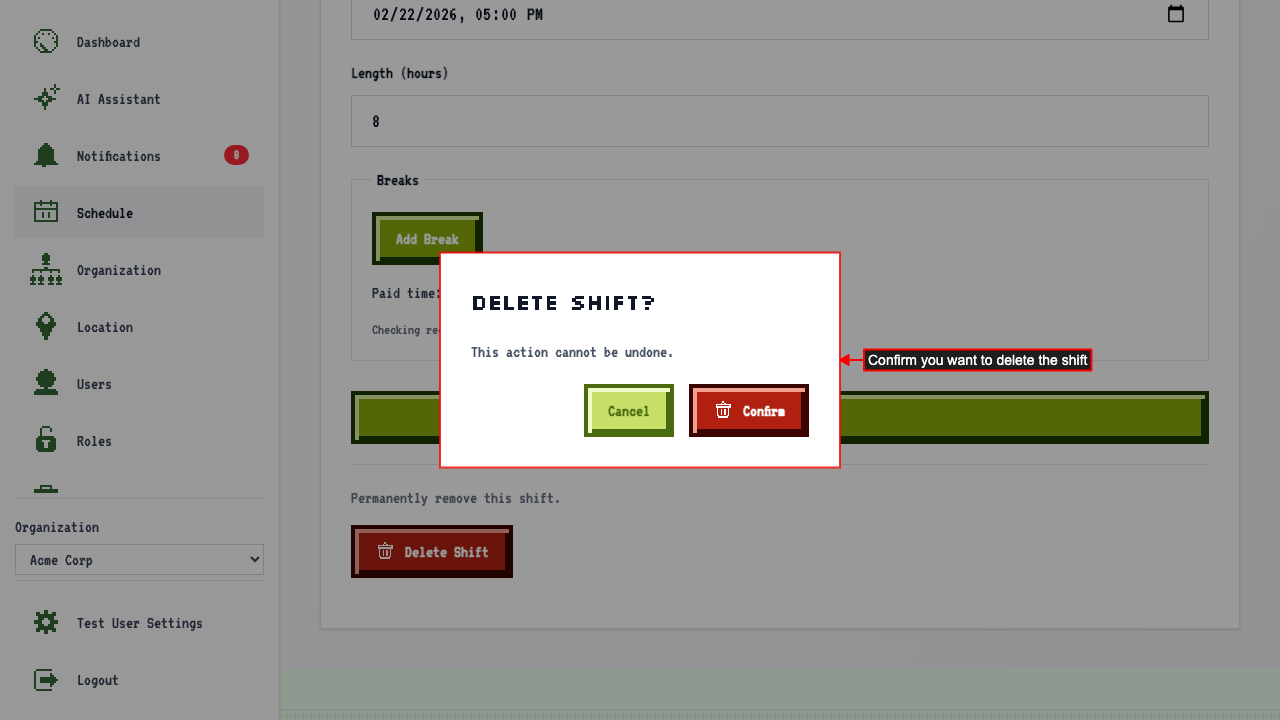
 A confirmation modal appears. Click confirm to permanently delete the shift.
 This will redirect to the schedule page where the shift no longer appears.