Draft a Schedule with Square Sales Data
How to create a draft schedule using Square sales estimates
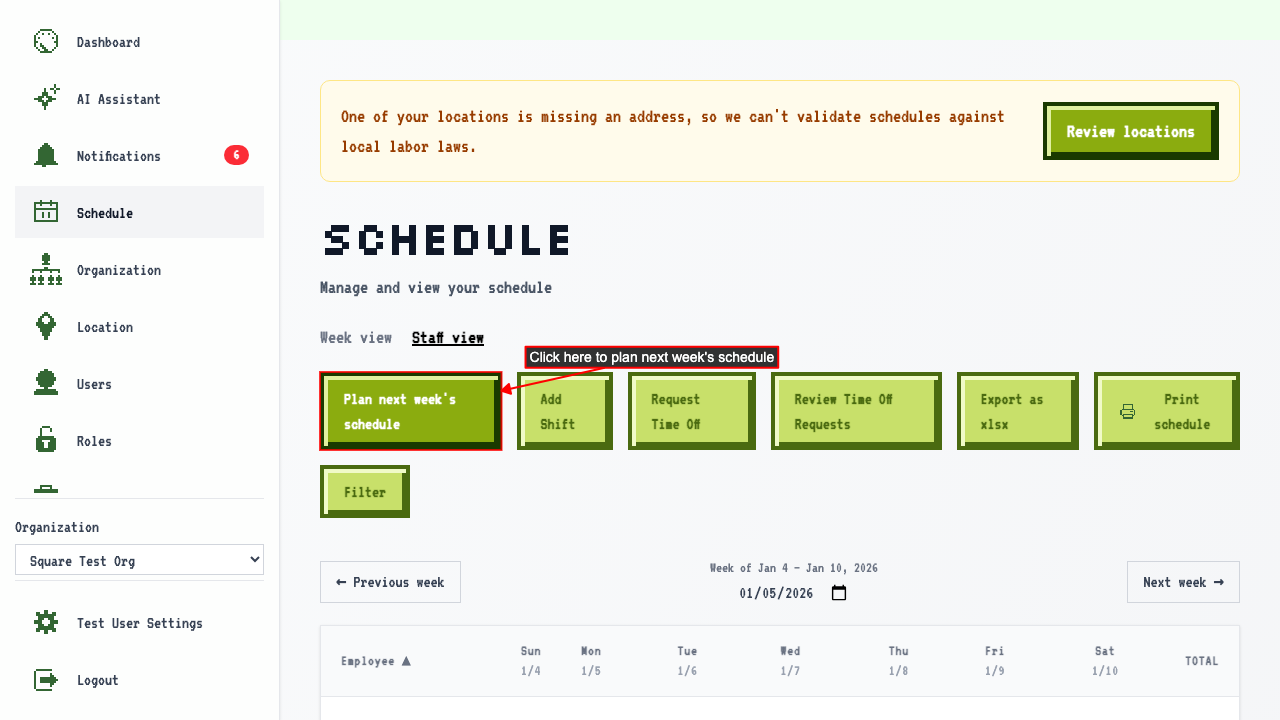
Navigate to the schedule page and click 'Plan next week's schedule'.
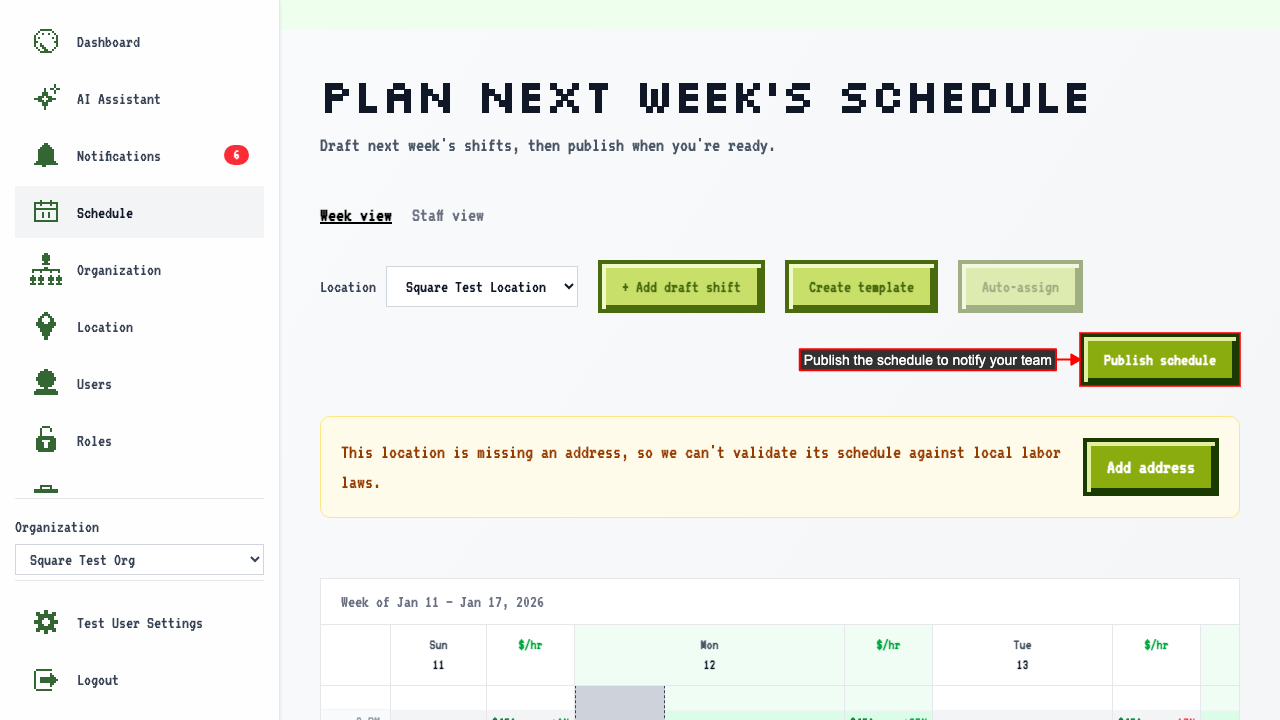
Click 'Plan next week's schedule' to open the draft calendar.
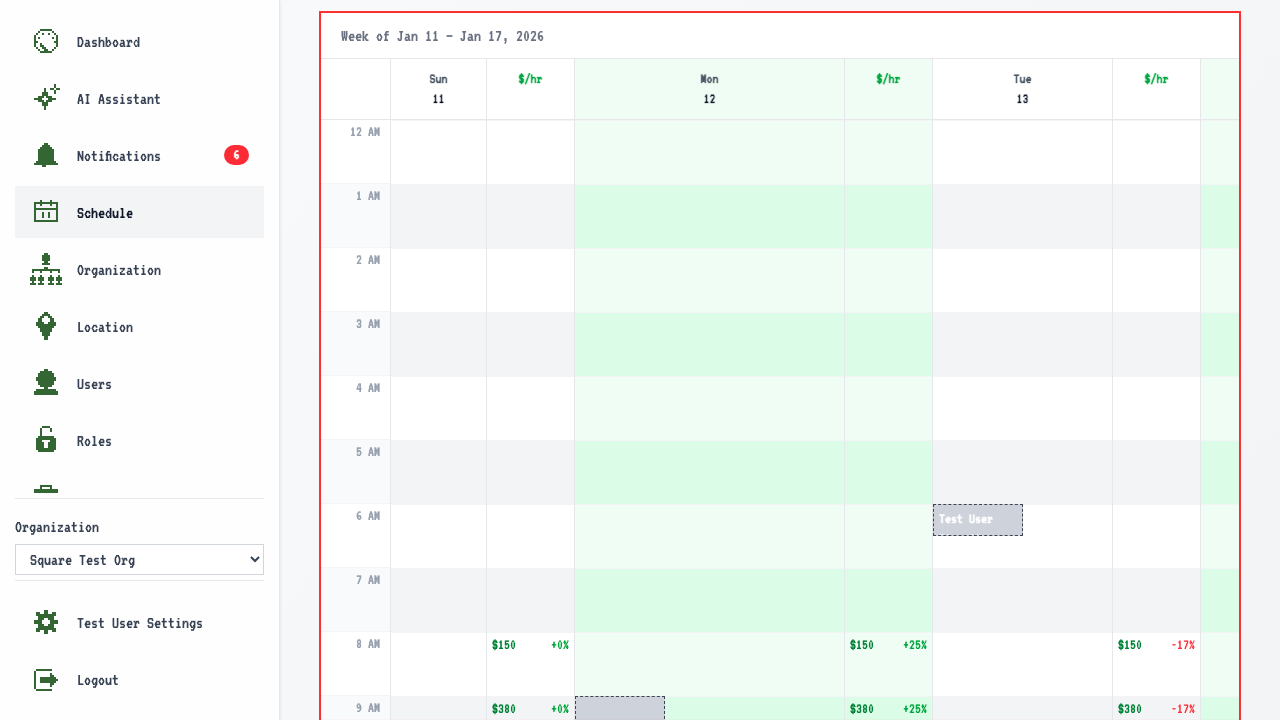
 Select the week view and then select a location to plan shifts for.
The $/hr estimates appear alongside each hour of the day and the amount of growth to expect from last year so you can see busiest hours while you're building shifts.
Select the week view and then select a location to plan shifts for.
The $/hr estimates appear alongside each hour of the day and the amount of growth to expect from last year so you can see busiest hours while you're building shifts.
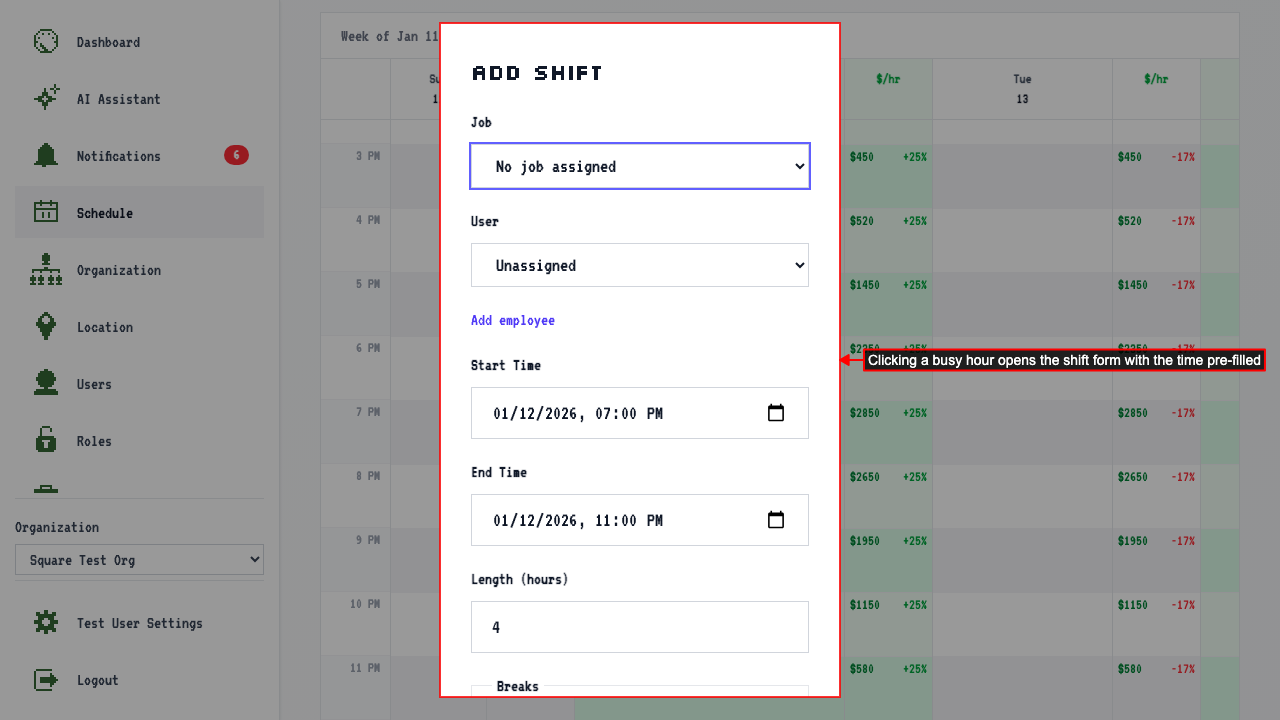
Click directly on a busy hour in the $/hr column to add a shift at that time. The form opens with the start time pre-filled.
 Assign a user to the shift and save.
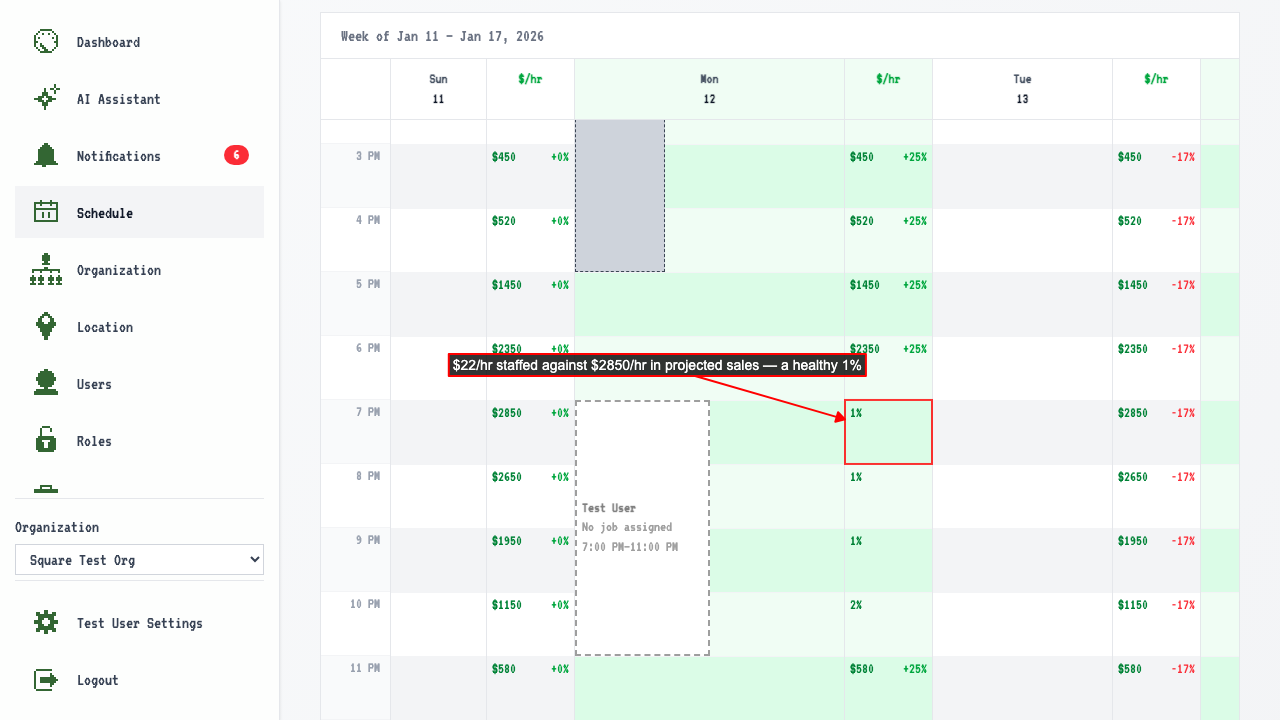
Once a shift is staffed, that hour's cell switches from the sales estimate to labor cost as a % of it — a quick way to spot an overstaffed hour.
Assign a user to the shift and save.
Once a shift is staffed, that hour's cell switches from the sales estimate to labor cost as a % of it — a quick way to spot an overstaffed hour.
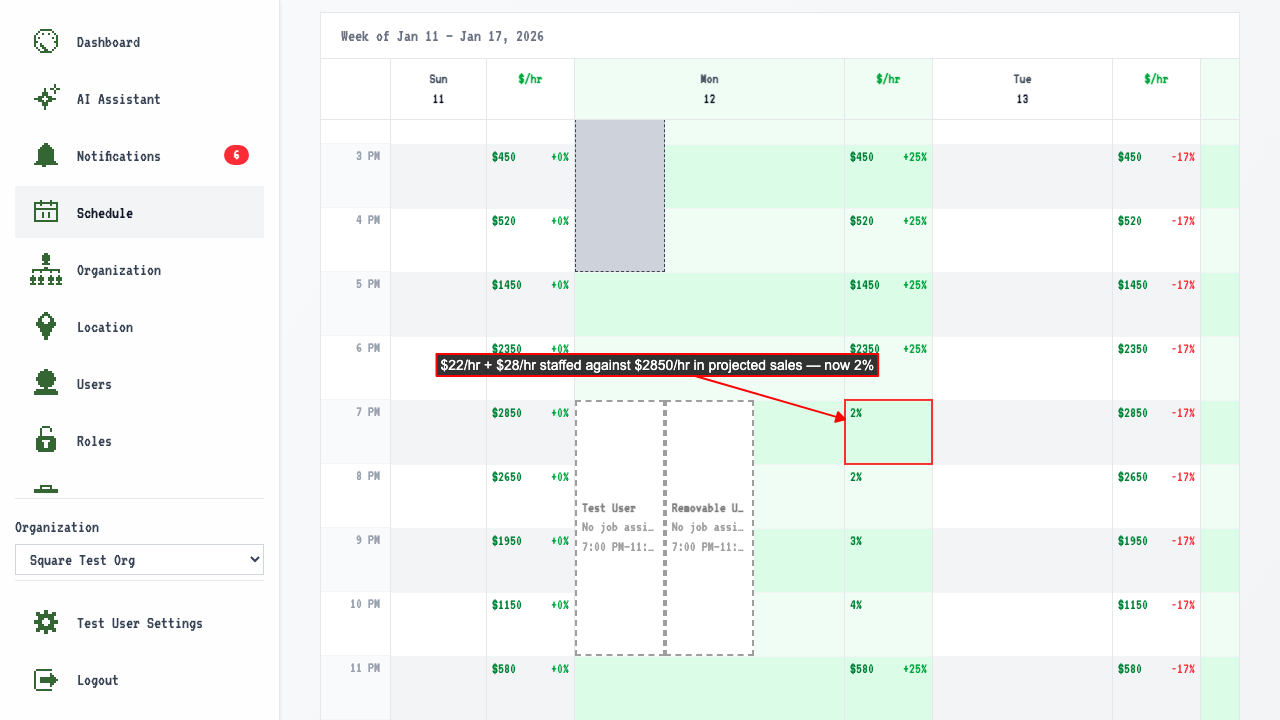
 Staffing a second person on the same hour adds to that hour's labor cost.
 When you're satisfied with the schedule, click 'Publish schedule' to make the shifts visible to your team.