Square Resource Management
Team members are managed in Square
When you navigate to the User Management page of a Square-connected organization,
a notice explains that team members are managed in Square.
The Add User button links to Square's team management page instead of the ScheduleLord add user form.
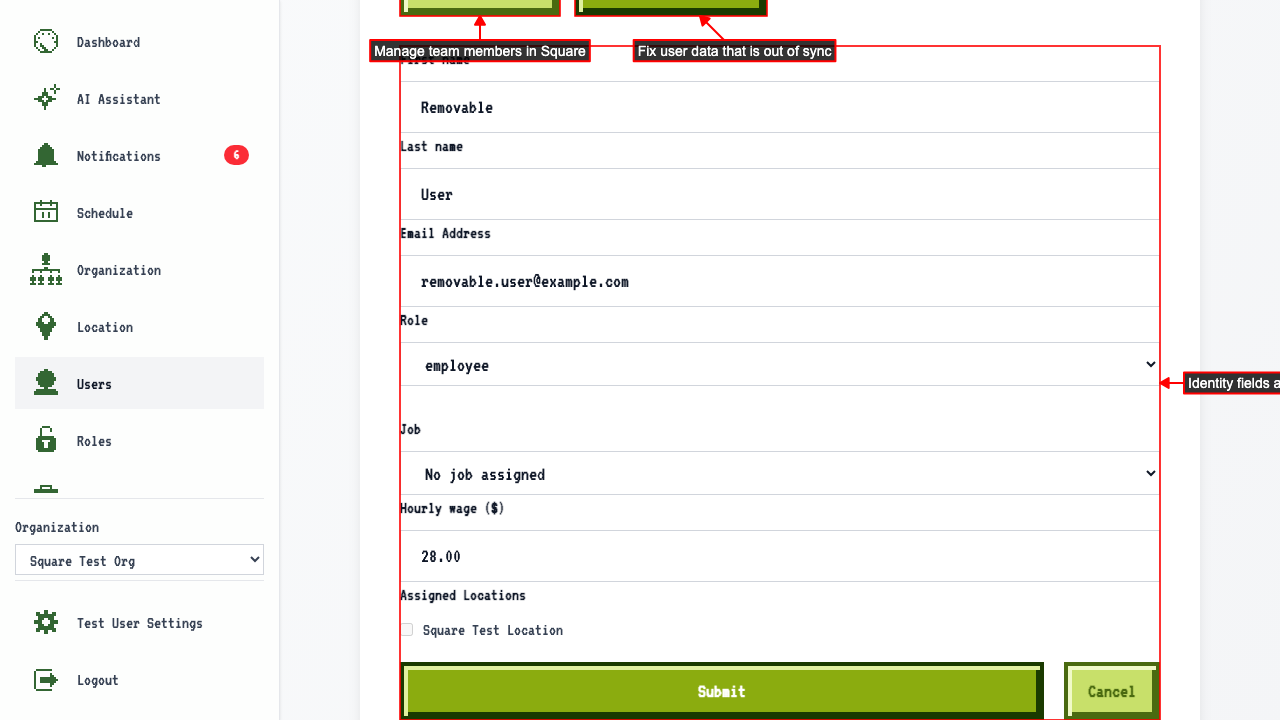
Clicking the edit buttons will take you to the edit page.
On the edit page, identity fields synced from Square (name, email, job, wage, locations) are disabled, but the user's role can still be changed and saved.
There is a link to Square to manage the user,
and a button to resync the user from Square.
Locations are managed in Square
When you navigate to the Location Management page of a Square-connected organization, a notice explains that locations are managed in Square. The Add Location button links to Square's locations page. The edit buttons in the location table also link to Square. Navigating directly to a location's edit page also redirects to Square.
Jobs are managed in Square
When you navigate to the Job Management page of a Square-connected organization, a notice explains that jobs are managed in Square. The Add Job button links to Square's team members page, where jobs are managed. The edit buttons in the job table also link to Square. Navigating directly to a job's edit page also redirects to Square.